
The Double Dash Operator (--) is formally known as the double unary operator. It is used in Excel to convert non-numeric data like TRUE/FALSE statements or text-based numbers into actual integers (TRUE/FALSE statements become1s and 0s).
Think of it as a converter. The first dash turns a value into a negative number, and the second dash turns it back to positive. This quick math trick causes Excel to change the data type into a usable number.
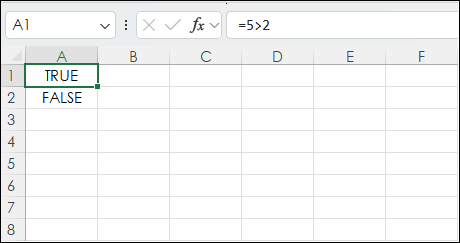
For example, in cell A1 is =5>2 and Excel returns TRUE.
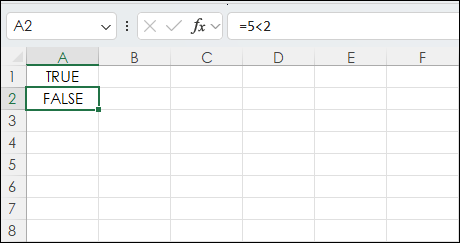
And in cell A2 is =5<2 and Excel returns FALSE.
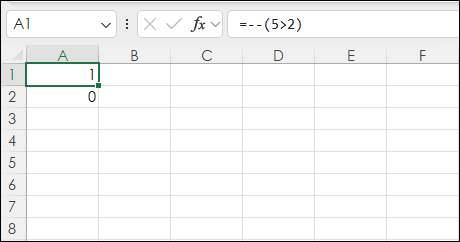
In cell A1 if the double dash is placed first, then =--(5>2) in Excel returns 1.
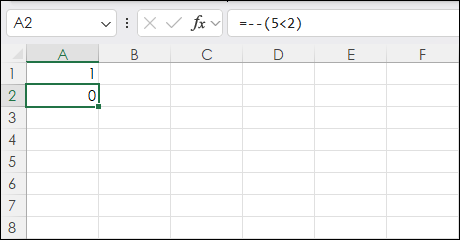
In cell A2 if the double dash is placed first, then =--(5<2) in Excel returns 0.
Another use of the Double Dash Operator is pulling numbers from a cell that has text. The numbers are considered text.
In cell B1 the TEXTAFTER function is pulling the number after the colon and space. The double dash converts the number from text to actual integers =--(TEXTAFTER(A1,": ")). which are summed in cell B7.
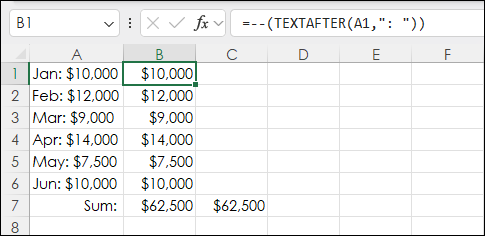
Cell C7 has =SUM(--(TEXTAFTER(A1:A6,": "))). The TEXTAFTER is applied to an array (A1:A6), and the double dash is converting the array to integers and then the SUM function is applied.
Another useful technique is using the double dash operator with the SUMPRODUCT function. The SUMPRODUCT function allows you to count cells that meet a specific condition when the double dash operator is included.
Cell J2: =IFERROR(SUMPRODUCT(--((E2:E103)>0))/COUNT(E2:E103),"")
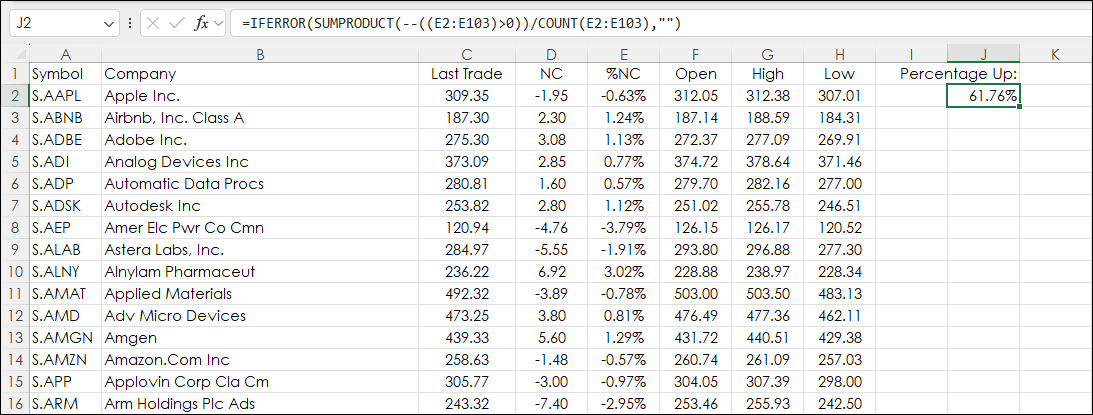
Cells E2:E103 are using RTD formulas for pulling the percentage net change for the current session for the stocks in the NASDAQ 100 index. The SUMPRODUCT function with the double dash is counting the number of cells with a positive percentage net change (counting the number of TRUE results for ((E2:E103)>0) divided by the number of cells used in the column.
The IFERROR function is wrapping the formula and returning an empty space because before the opening of the market the percentage net change cells are blank and an error is returned.
A more cumbersome approach would be to use an IF THEN Function to test for a positive percentage net change for each stock, sum the number of occurrences in the column, and divide by the number of stocks. That approach is replaced by a single cell formula using the Double Dash Operator.
The downloadable Excel sample is the full spreadsheet used in the image above.
Requires CQG Integrated Client or CQG QTrader, data enablements for the NYSE and Nasdaq stocks, and Excel 365 or more recent locally installed, not in the Cloud.