
The CQG Trade System Optimizer (TSO) is a module that offers you a tool for testing different parameters of a trade systems and cataloging the results. All combinations of the parameters are evaluated, and the results of each combination are reported in the TSO window.
Reviewing the results enables you to determine which set of user-defined parameters currently produces the best results when you apply a specific trade system to a chart.
Caveat: Results for using optimized parameters for one period may not match a different period as market trends can vary in direction as well as volatility. One method is to determine parameters in one period (in-sample) and test the parameters in another period (out-of-sample).
TSO cannot load without a trade system. TSO only works with those trade systems that are developed containing user-defined parameters (Parms). These parameters are required to test combinations and return optimal values.
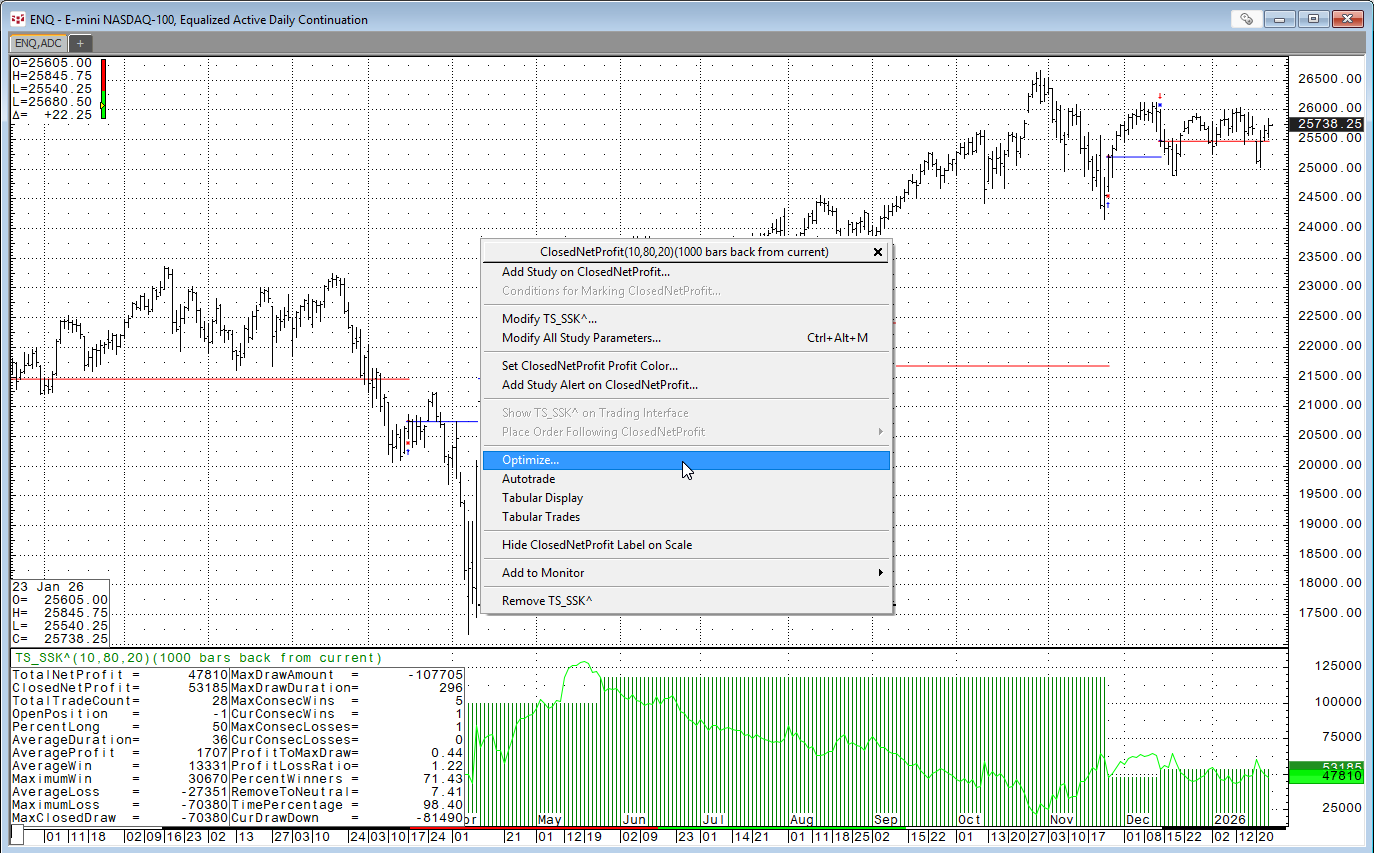
To start TSO:
- Display a chart with the symbol you want to use for optimizing with the trade system you want to use applied to that chart. In this example, CQG's cqg.StochSample trade system is loaded. It is found in CQG's Formula Builder under the Trade System tab.
- Right-click the Trade System that has been placed on the chart.
- Select Optimize from the menu.
The Trade System Optimizer window opens and then select Specify to set the optimization parameters.
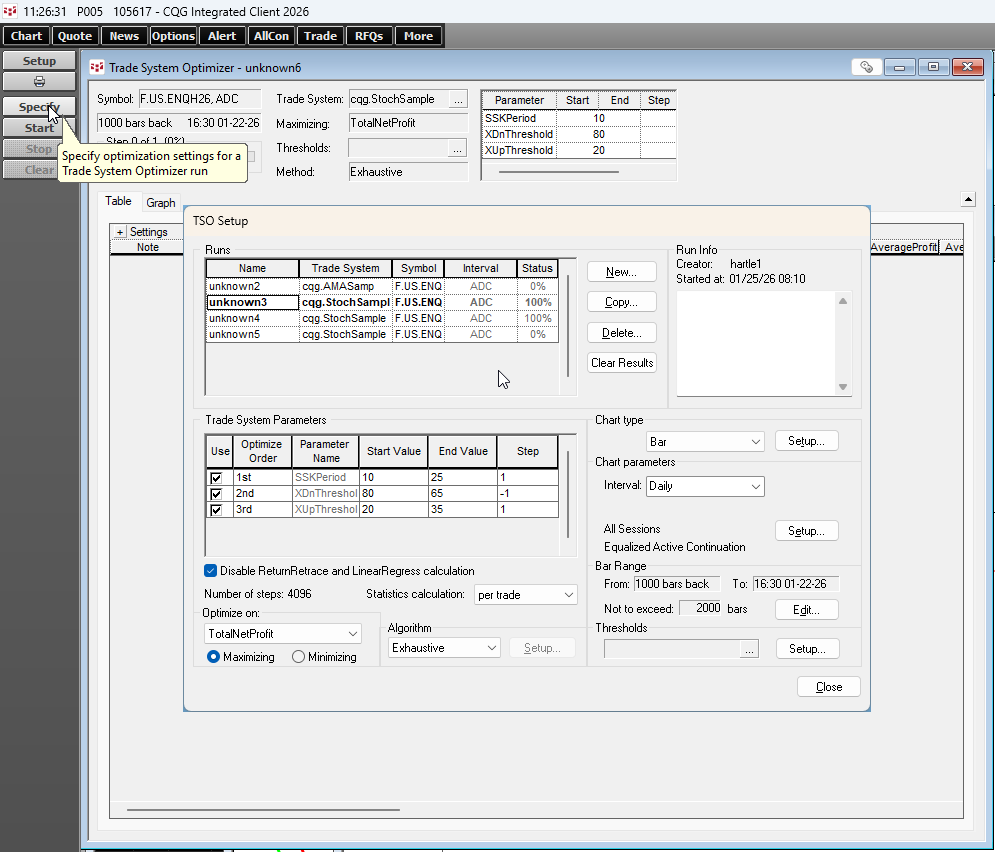
Select the parameters to "Use" and the Start Value, End Value, and Step. Set the "Optimize on:", here TotalNetProfit.
Selecting TSO Algorithm
CQG offers 2 TSO Algorithms, exhaustive and genetic.
The Exhaustive algorithm evaluates the effectiveness of the trade system for each possible combination of all the parameters, as defined in the TSO Setup window. The best found parameter combination corresponds to the absolute maximum of effectiveness and cannot be further improved. The great disadvantage of the exhaustive algorithm is that it may take a long time.
The Genetic algorithm evaluates a subset of every possible combination of all the parameters defined in the TSO Setup window. The genetic algorithm takes its basic idea from biology and searches the most effective parameter combination according to biological laws.
Use Thresholds to act as filters to limit the calculations that are reported in the results table.
Click "Start" on the TSO Toolbar to run the TSO. There is a progress bar. When the process is complete then the parameters that offered, here the best "TotalNetProfit", are listed.
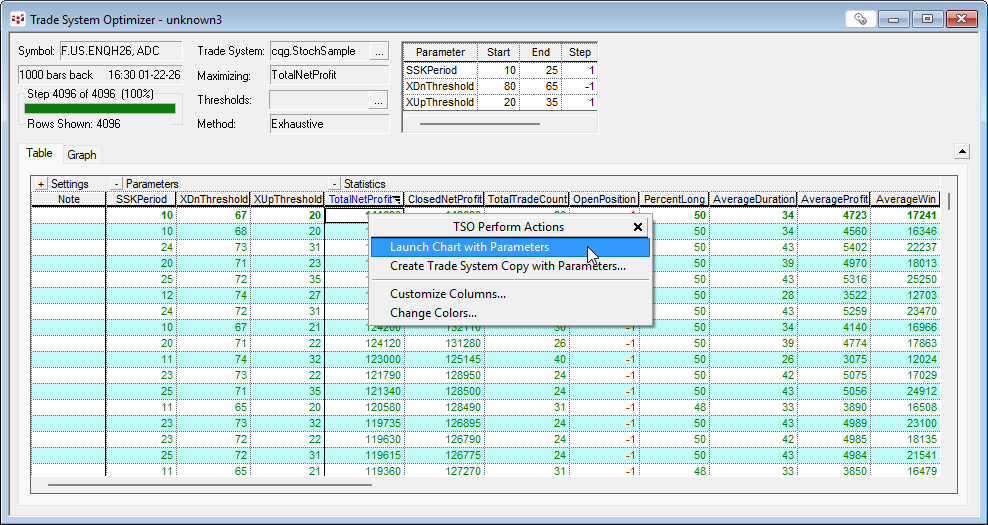
After the optimizer has filled in the results table, you can view the results as they would appear in a chart. There are two ways to launch a chart with selected parameters.
Right-click a row and select Launch Chart with Parameters or double click a row.
The chart is displayed, and the Trade System reflects the settings of the selected results table row.
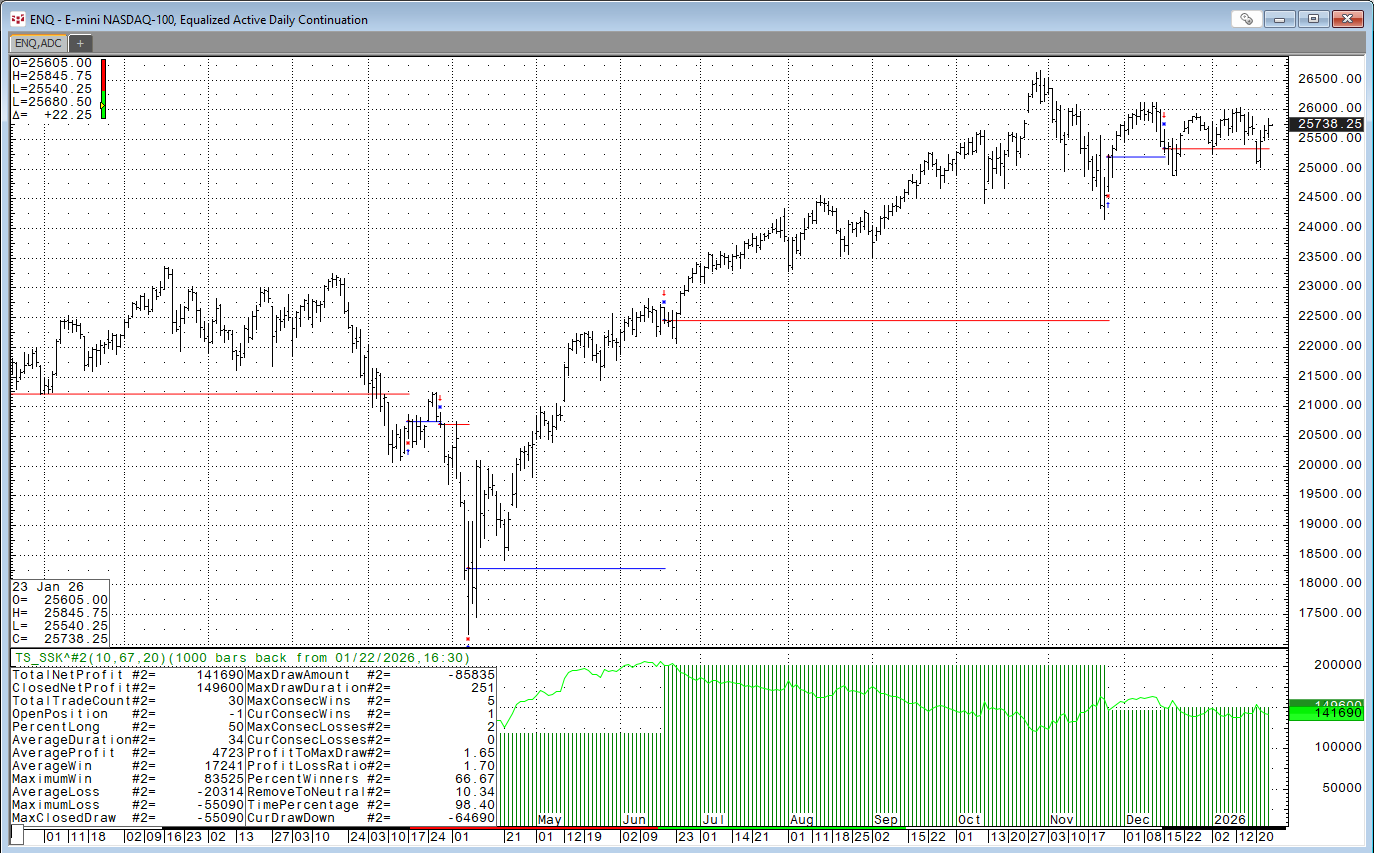
Again, it is very important to determine parameters in one period (in-sample) and test the parameters in another period (out-of-sample).
For more details about the TSO please view the CQG Help file.
A two week free trial is available for Backtesting and the TSO.
Requires CQG Integrated Client.