
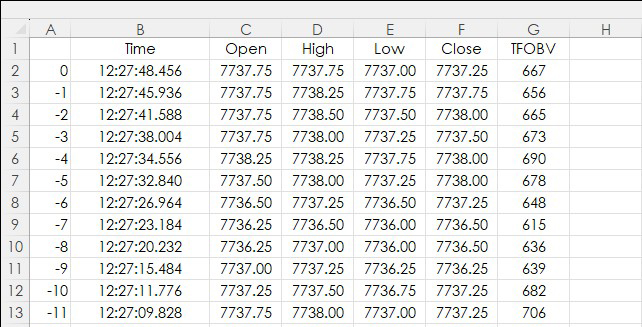
This post details the RTD calls to pull in TFlow bar data and TFlow On Balance Volume (TFOBV) study data into Excel. In addition, two functionalities are highlighted: One, how to find parameters… more
Thom Hartle

This midweek look shows the Nikkei 225 (Osaka), Dec 26 contract, lower by -0.83%. The best performer in the US market is the E-mini Dow, Dec 26 contract showing a gain of +2.97%. The best… more
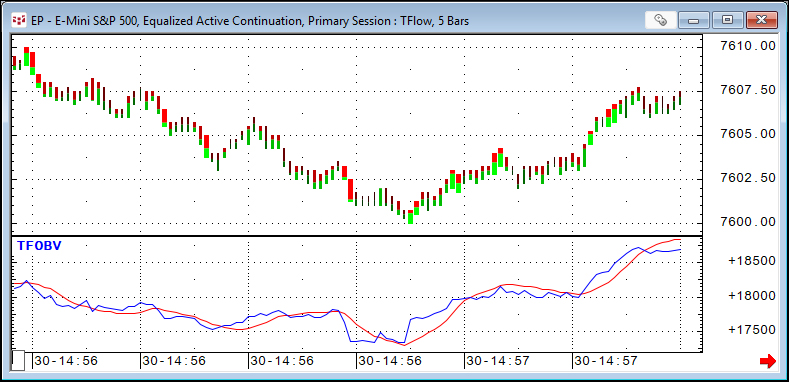
TFlow On Balance Volume is the running sum of the differences between bid and ask volume for each TFlow bar. The starting point of this sum is set via the study parameters. This study only works… more
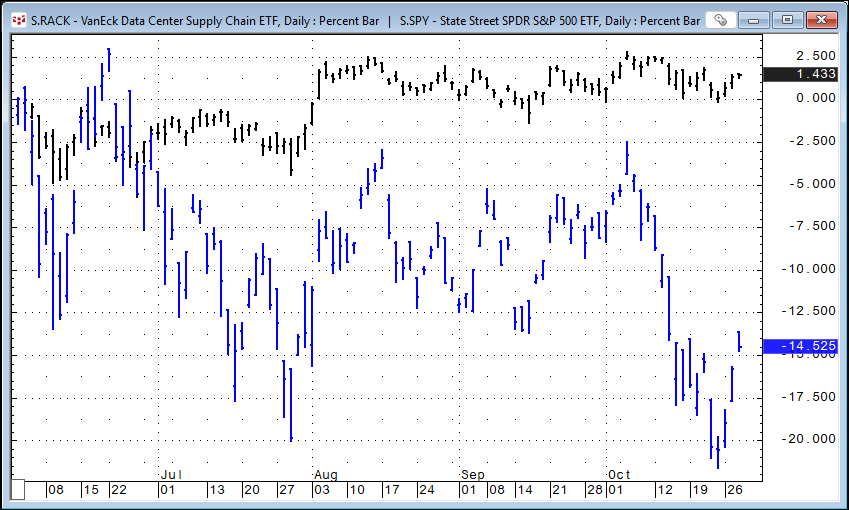
This post details a Microsoft Excel dashboard that tracks the day's performance of the holdings of the VanEck Data Center Supply Chain ETF (Symbol: RACK).
From the VanEck website detailing… more
This midweek look shows the Nikkei 225 (Osaka), Dec 26 contract, with a rise of +2.64%. The best performer in the US market is the E-mini NASDAQ 100, Dec 26 contract showing a gain of +2.41… more
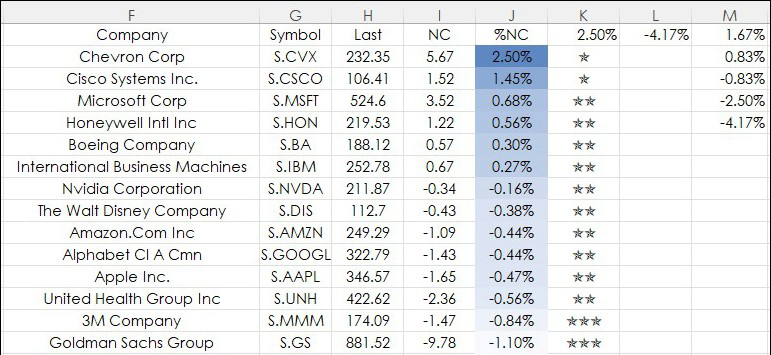
This post details using Excel's UNICHAR function for a data visualization technique applied to a current session's percentage net change for a collection of markets. First, an introduction to both… more
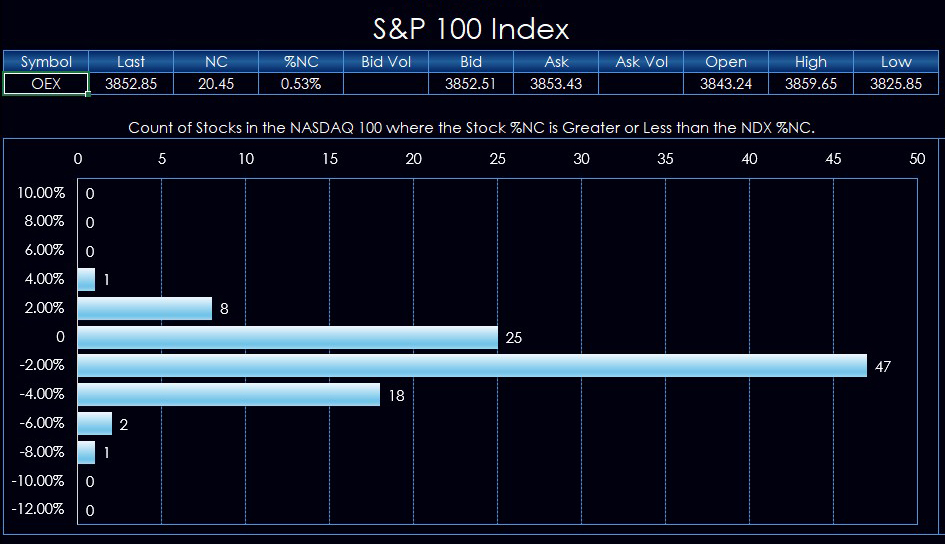
This post details a Macro-Enabled Excel Dashboard that tracks the holding of the S&P 100 index and compares the percentage net change of each stock to the percentage net change of the cash S… more
This midweek look shows the Nikkei 225 (Osaka), Dec 26 contract, with a loss of -0.76%. The best performer in the US market is the E-mini NASDAQ 100, Dec 26 contract showing a gain of +2.24… more
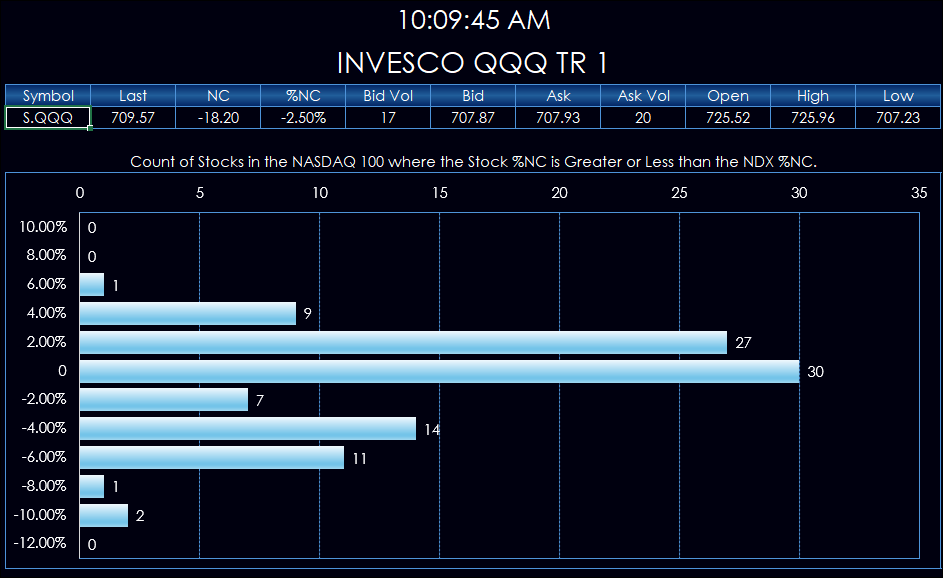
This post details a Macro-Enabled Excel Dashboard that tracks the holding of the NASDAQ 100 index and compares the percentage net change of each stock to the percentage net change of the cash… more
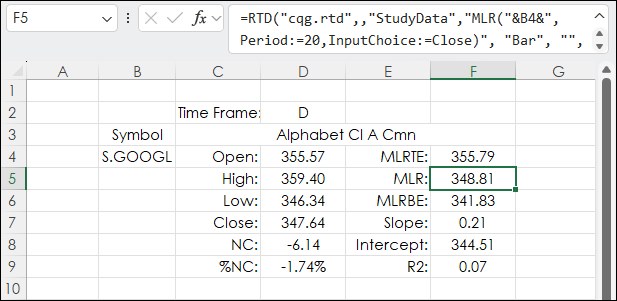
CQG offers the Moving Linear Regression Line study. When plotted on a chart the line (blue line below) is the endpoint of a best fit line using the least squares technique. This technique finds… more