Excel RTD formulas are available for pulling in Trade System Statistics. Below is an image of a Constant Volume chart with the cqg.AMASamp Trade system applied to the chart.
The next… more

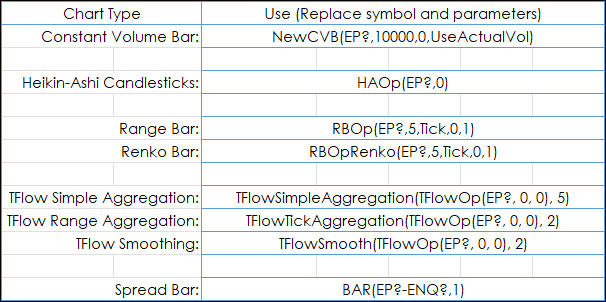
Excel RTD formulas are available for pulling in Trade System Statistics. Below is an image of a Constant Volume chart with the cqg.AMASamp Trade system applied to the chart.
The next… more
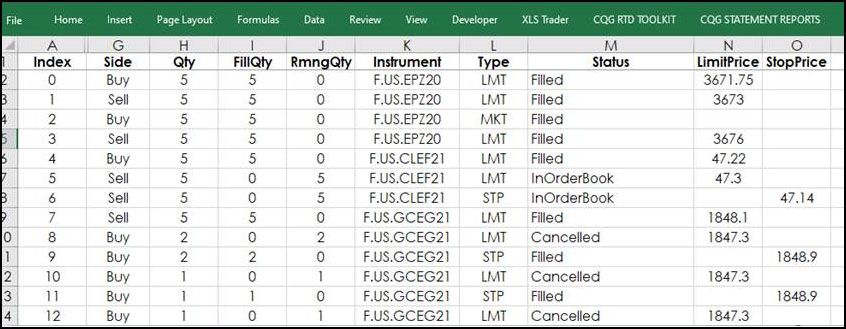
The CQG RTD Toolkit Add-in has been updated. This updated Excel add-in is automatically installed with CQG IC 21-12-8042 Beta and higher. The updates are to the Orders and Positions… more
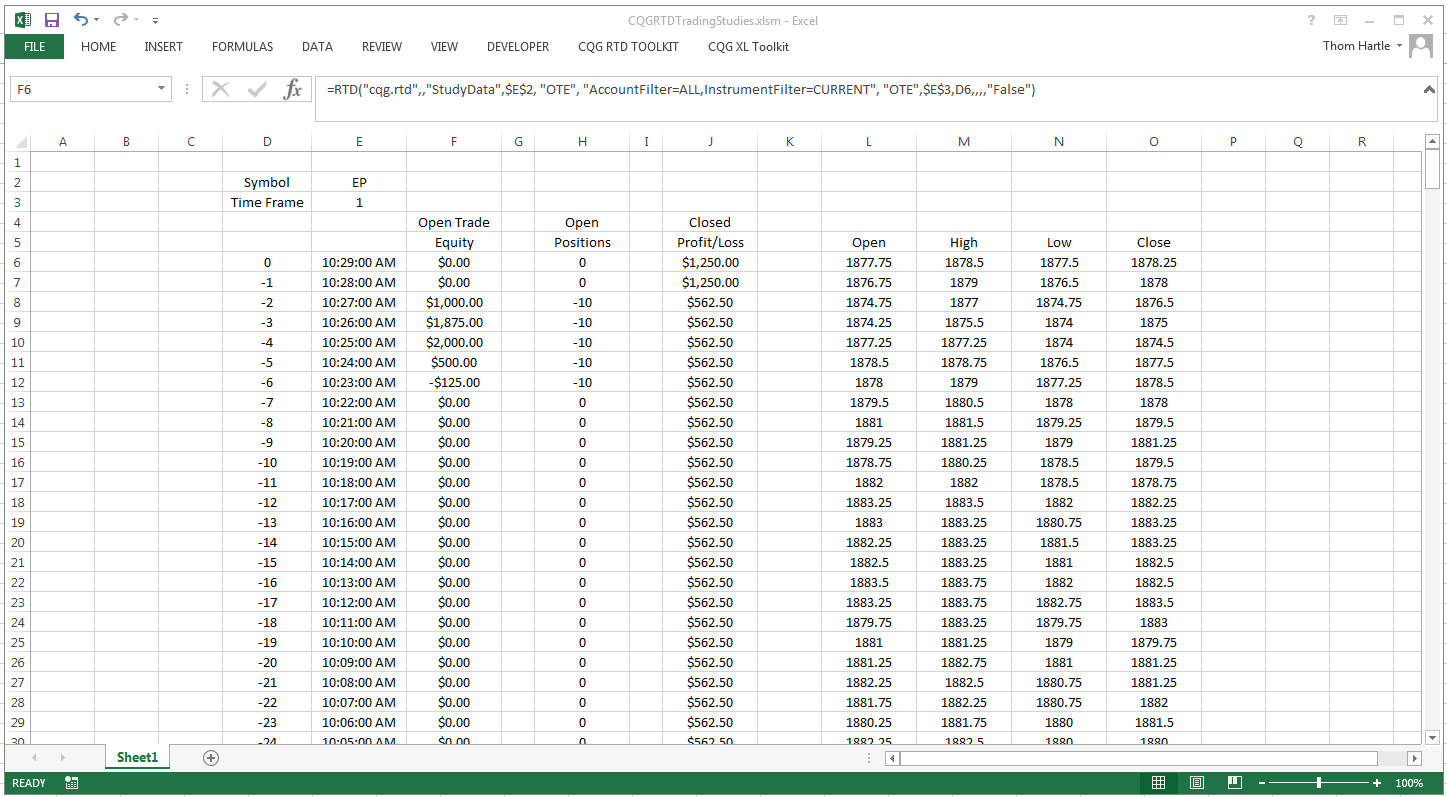
This Microsoft Excel® dashboard uses RTD formulas to pull the following CQG Trading Studies into Excel:
Open Trade Equity Position Profit & LossThese are study formulas and… more
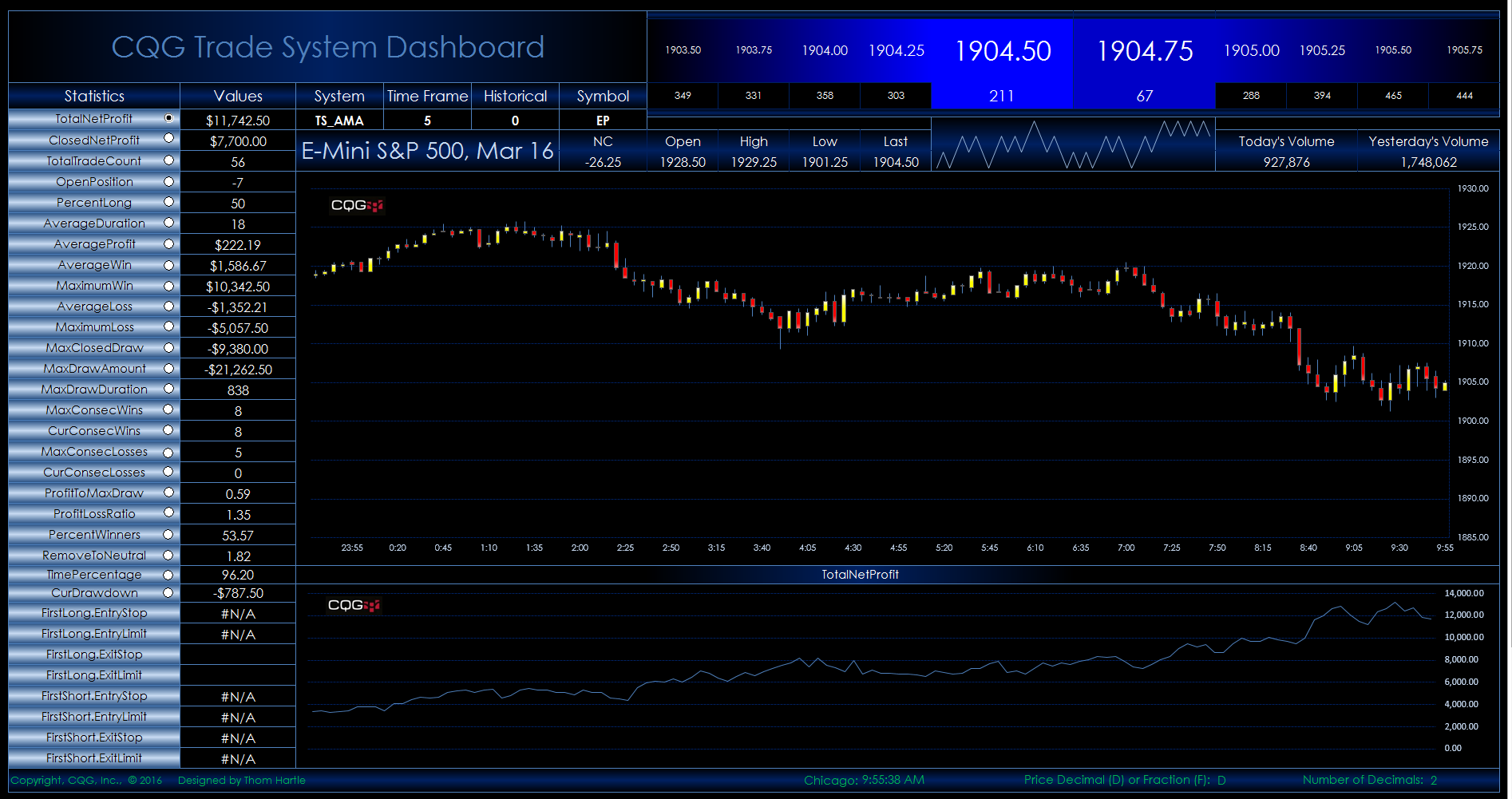
This Microsoft Excel® dashboard displays trade system statistics pulled from CQG’s Backtesting module. Enter the system's “short’ name, chart time frame, and symbol.
This new version… more
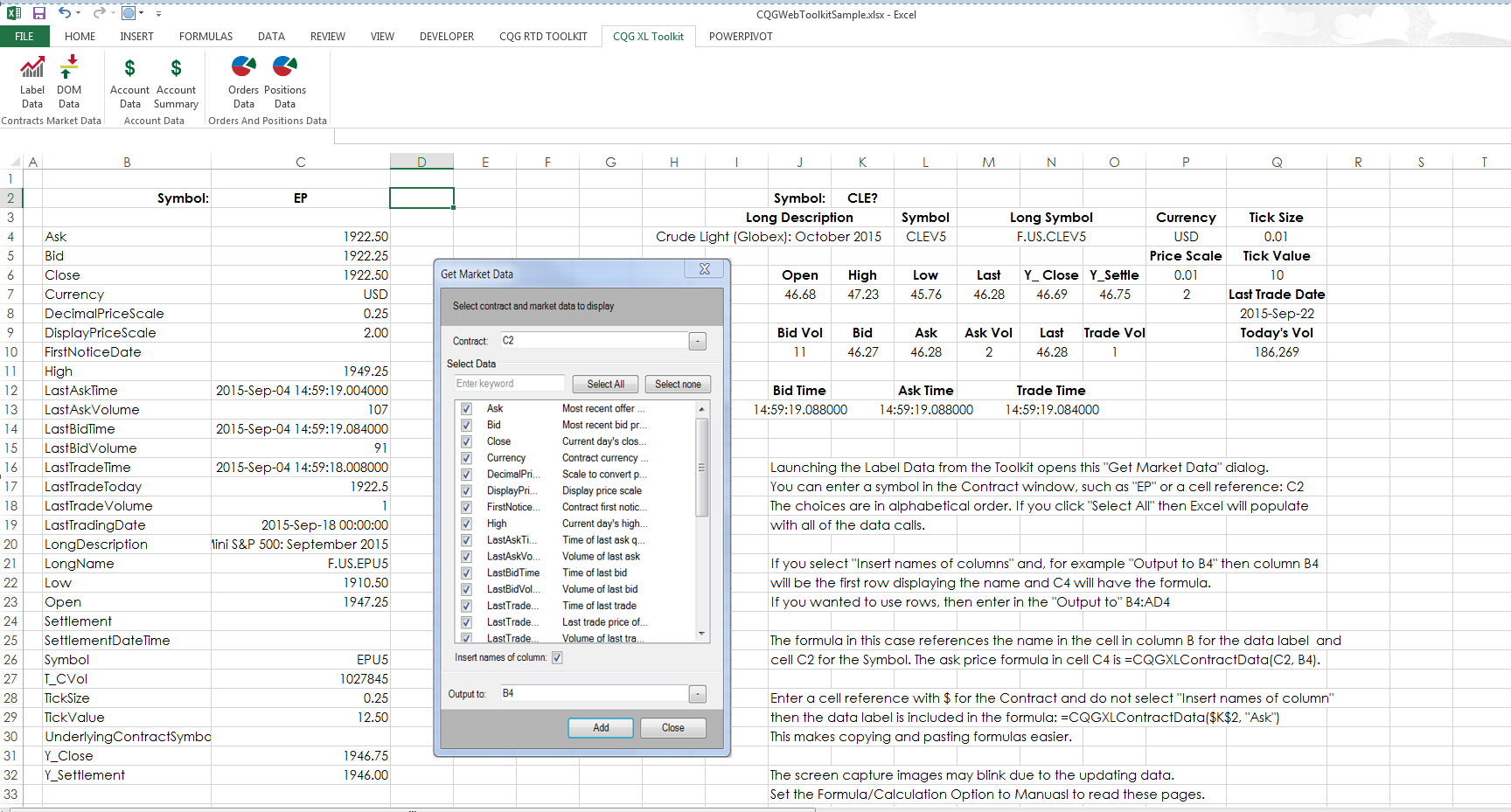
The XL Toolkit has been updated. The Labels group has been expanded from 30 fields to 75 fields. The easiest method to learn the new data calls is once logged in then select “Label Data”, enter a… more

This Microsoft Excel® spreadsheet uses RTD formulas to pull today's basic orders and positions information from CQG.
Orders and positions data available include:
Number of… more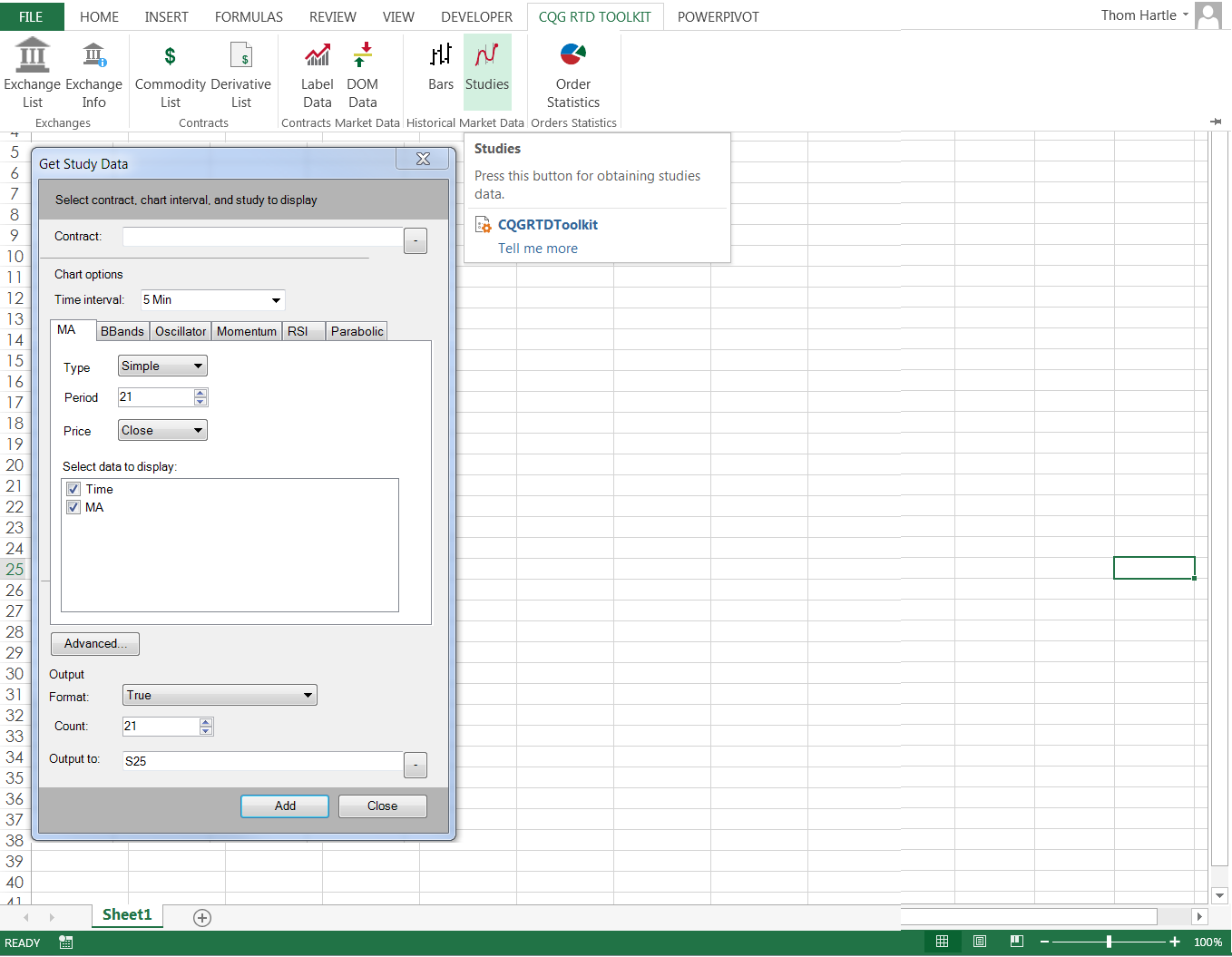
CQG offers a Microsoft Excel® add-in to make your workflow easier when using CQG, RealTimeData (RTD), and 32-bit or 64-bit Excel. The CQG Excel RTD Add-in is installed when you install CQG IC or… more
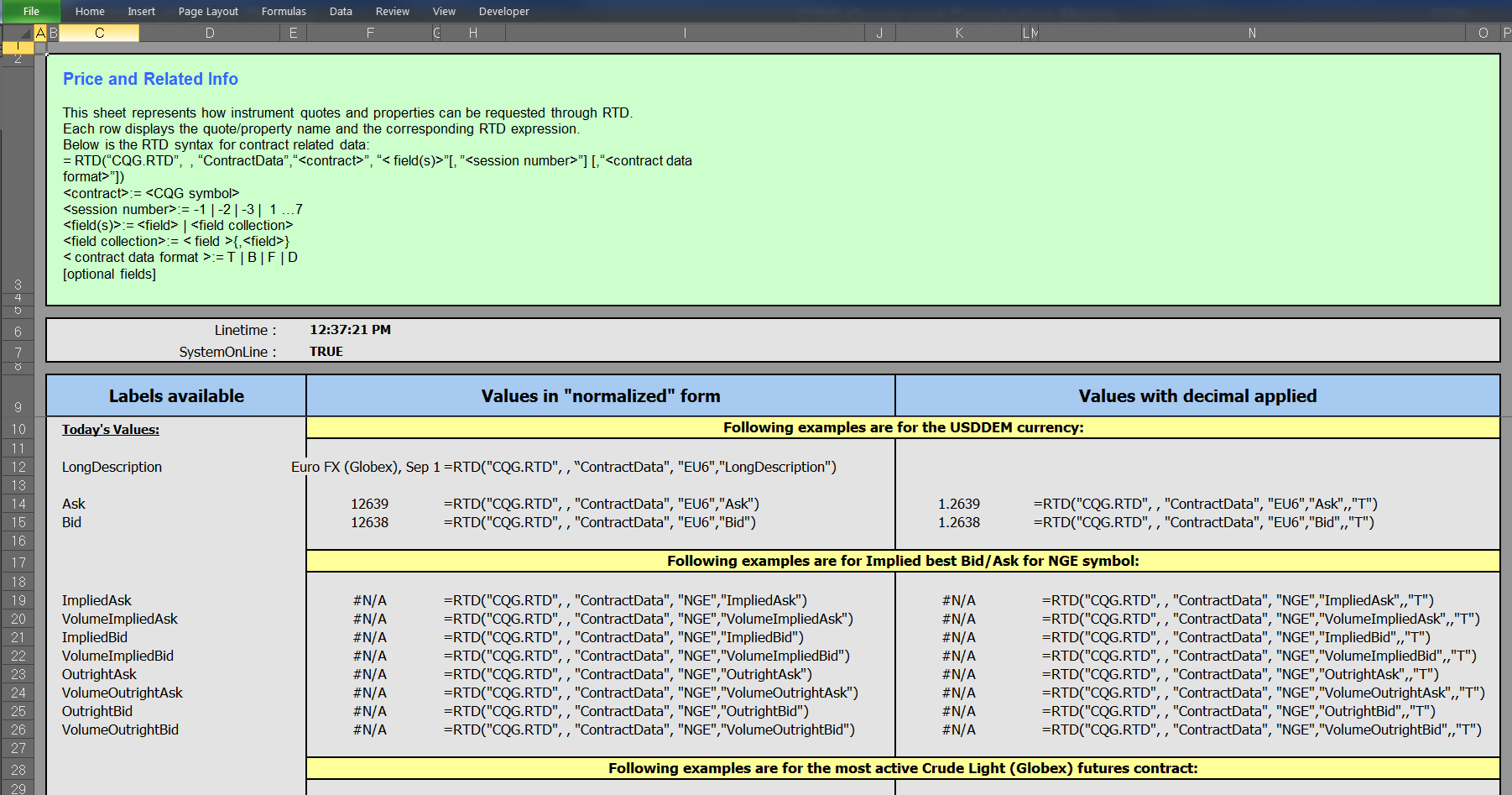
This spreadsheet provides a list of all available labels in market data in all types of contracts, including synthetic spreads. Orders and related statistics data include number of… more