
This table is from Microsoft's Excel Help file for Reference Operators. It lists three Reference Operators.
| Reference operator | Meaning | Example |
|---|---|---|
| : (colon) | Range operator, which produces one reference to all the cells between two references, including the two references. | B5:B15 |
| , (comma) | Union operator, which combines multiple references into one reference. | =SUM(B5:B15,D5:D15) |
| (space) | Intersection operator, which produces one reference to cells common to the two references. | B7:D7 C6:C8 |
The ": (colon)" Reference Operator is probably the most widely used, such as =Sum(B5:B15) is used to sum all of the values in the range B5 through B15.
The ", (comma)" Reference Operator is used as "and". For example, =SUM(B5:B15,D5:D15) is used to first sum all of the values in the range B5 though B15 then sum all of the values in the range D5 though D15 and then sum the two values.
The final Reference Operator is a space " " and is named the Intersection Operator. It produces a reference to cells common to two references and is the topic of this post.
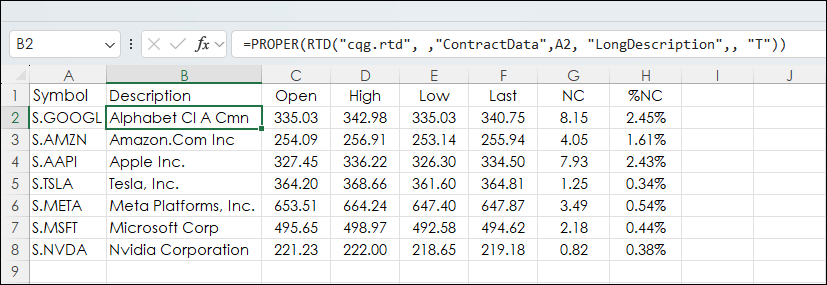
First, the sample spreadsheet used for this post is the Magnificent Seven stocks with basic current session performance statistics. This dashboard is used to demonstrate uses of the Intersection Operator. That said, the Intersection Operator would be useful for larger groups of stocks, such as the holding of the S&P 500 index.
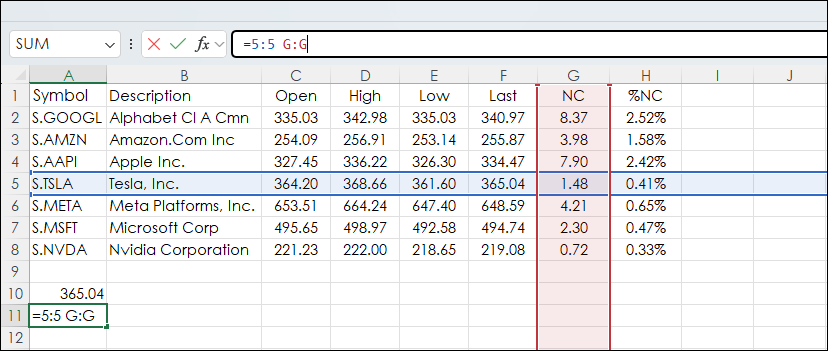
In the image below the Intersection Operator is used in cell A11:
=5:5 G:G
Cell A11 is selected to highlight the row and column used and returns 1.48.
Cell A10 has:
=5:5 F:F
And returns 365.04.
This function can use row and column names instead of row numbers and column letters.
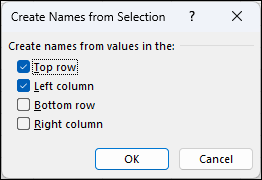
To name rows and columns the spreadsheet select cell A1 to cell H8 and then select the Formulas tab and "Create from Selection."

Next, for this task Top Row and Left Column are checked on. Click OK.
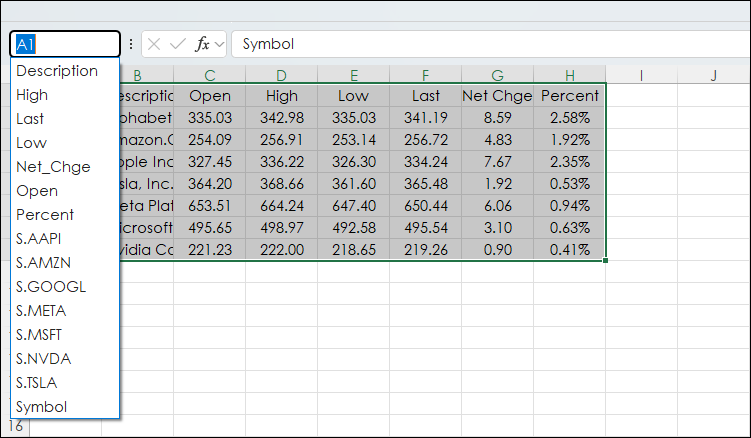
Now the names of the rows and columns are added in alphabetical order. Notice the column name "Net Chge" has an underscore for the space. This underscore is necessary when using the Intersection Operator.
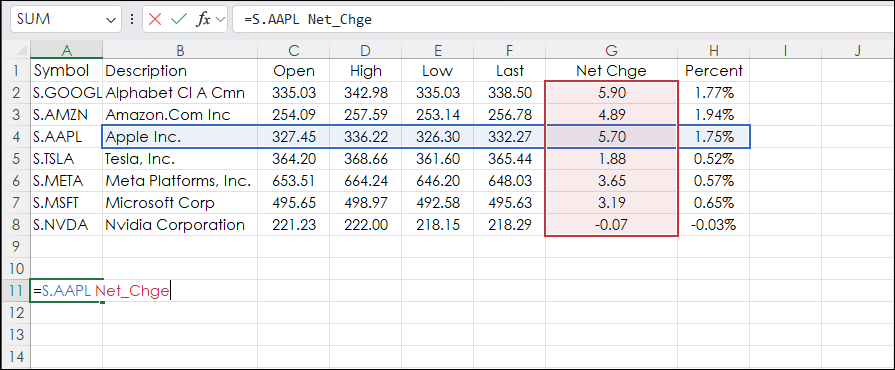
Now, the Intersection Operator is using the names of rows and columns. Cell A11 has this function:
=S.AAPL Net_Chge
And returns 5.70.
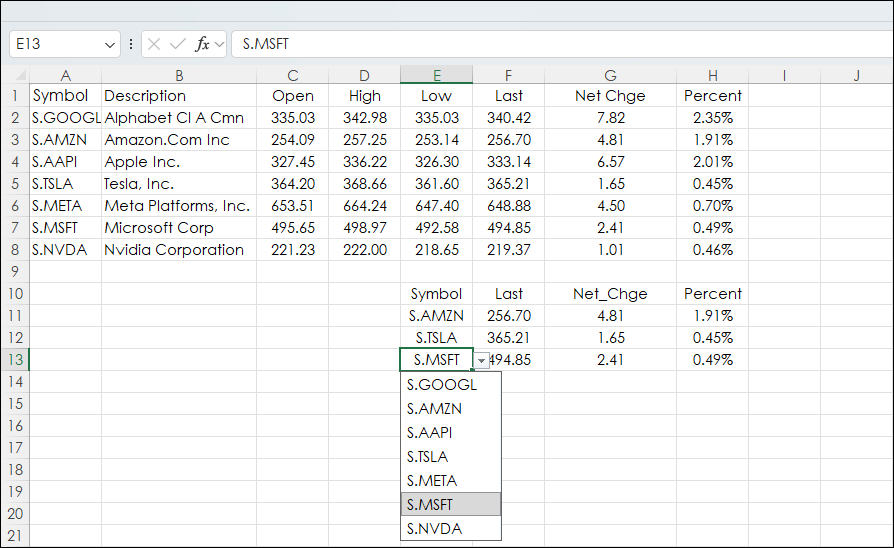
To extend the use of the Intersection Operator, create a drop-down list using Excel's Data Validation feature.
This was done for cells E11, E12, and E13. The drop down list is the symbols from column A.
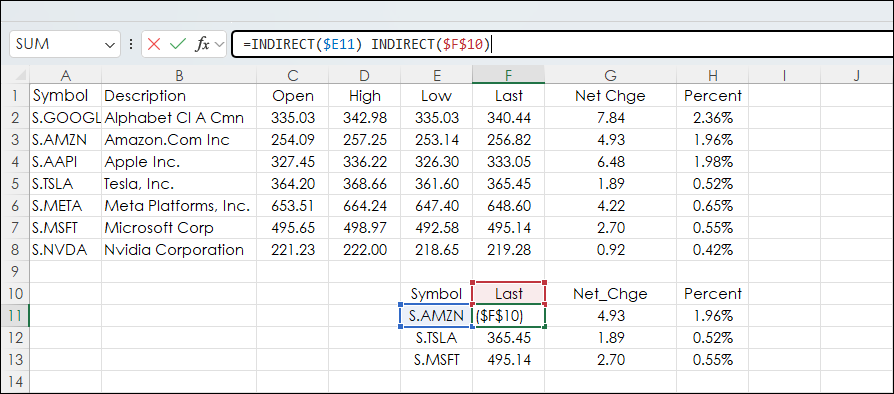
Excel's Indirect Function is used for the name of the column and the row for the Intersection Operator.
Cell F11:
=INDIRECT($E11) INDIRECT($F$10)
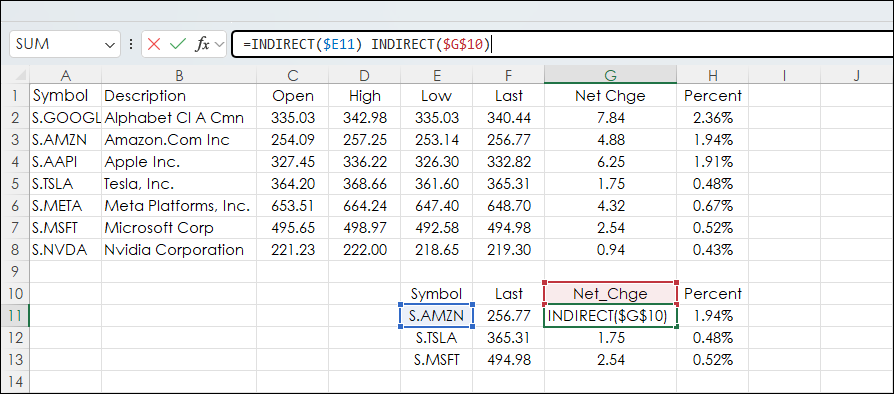
Cell G11:
=INDIRECT($E11) INDIRECT($G$10)
Cell H11:
=INDIRECT($E11) INDIRECT($H$10)
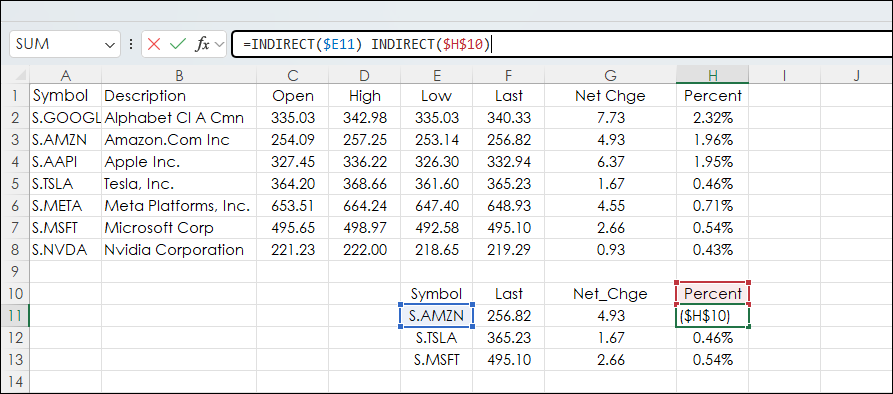
Cells F11, G11, and H11 are copied down.
The above Excel sample is available at the bottom of the post.
The Intersection Operator is useful for pulling certain data from a large data dashboard. Create a dropdown list of the symbols and everything from session's market data to studies can be pulled from the data tab using the Intersection Operator.
Make sure to lower your Excel Realtime Data (RTD) throttle to 100 milliseconds. Learn how to do that here.
Requires CQG Integrated Client or CQG QTrader, data enablements for the exchanges, and Excel 365 or more recent locally installed, not in the Cloud.