
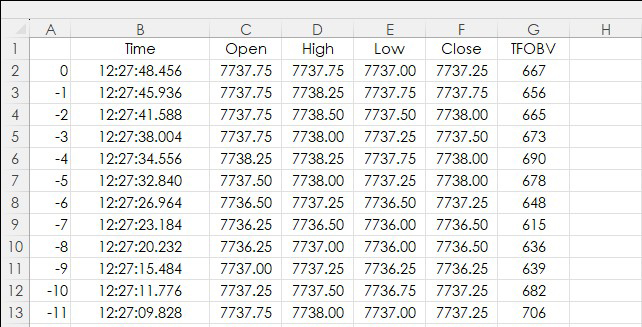
This post details the RTD calls to pull in TFlow bar data and TFlow On Balance Volume (TFOBV) study data into Excel. In addition, two functionalities are highlighted: One, how to find parameters… more
Workspaces
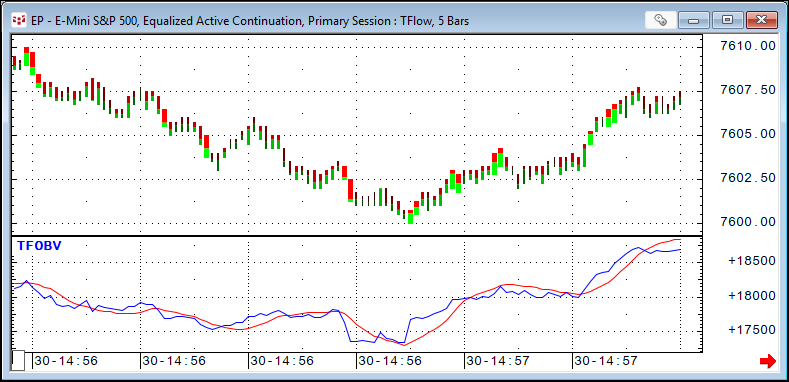
TFlow On Balance Volume is the running sum of the differences between bid and ask volume for each TFlow bar. The starting point of this sum is set via the study parameters. This study only works… more
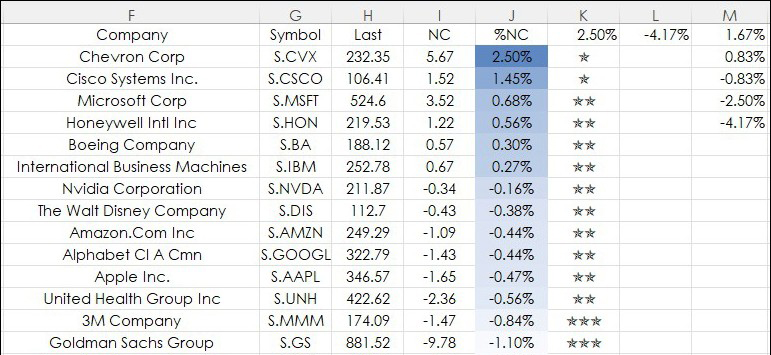
This post details using Excel's UNICHAR function for a data visualization technique applied to a current session's percentage net change for a collection of markets. First, an introduction to both… more
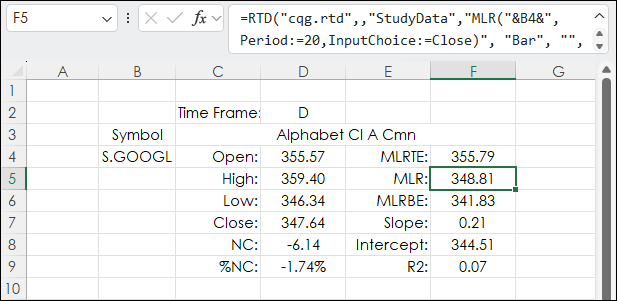
CQG offers the Moving Linear Regression Line study. When plotted on a chart the line (blue line below) is the endpoint of a best fit line using the least squares technique. This technique finds… more
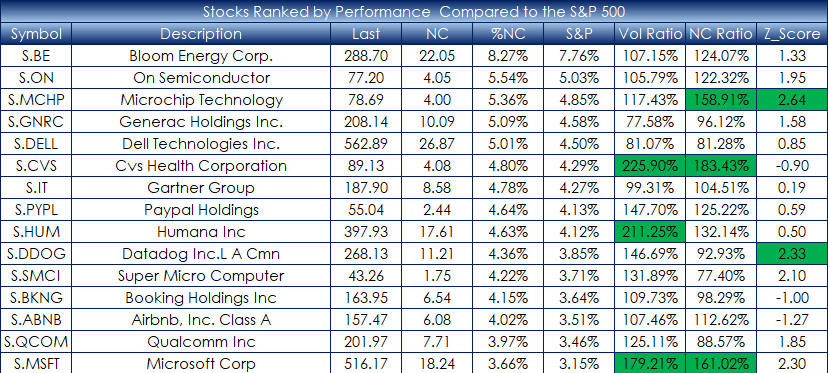
This post details using Excel's MAP function to rank the companies in the S&P 500 index performance relative to the S&P 500 index's performance. This is defined by today's percentage net… more
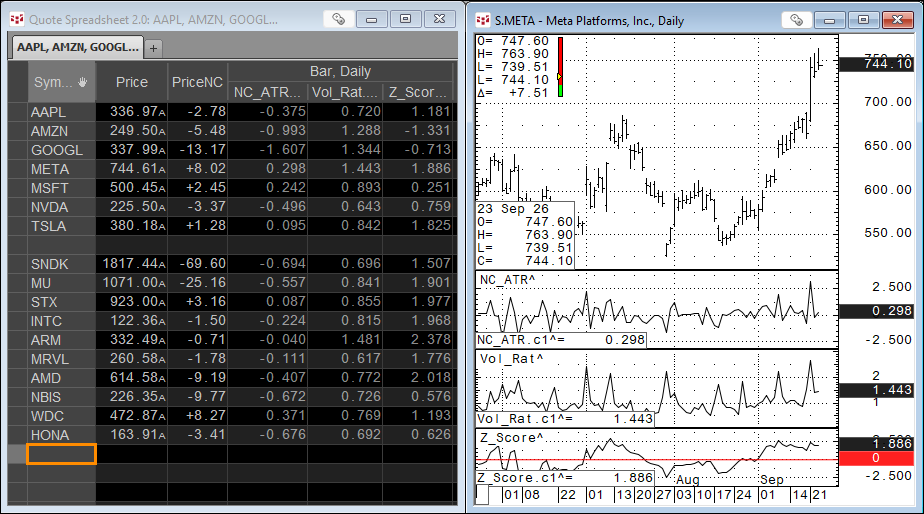
Technical studies are used to analyze markets and are often the basis for trading decisions. The studies all take market data and apply mathematical steps that result in a single value.
An… more
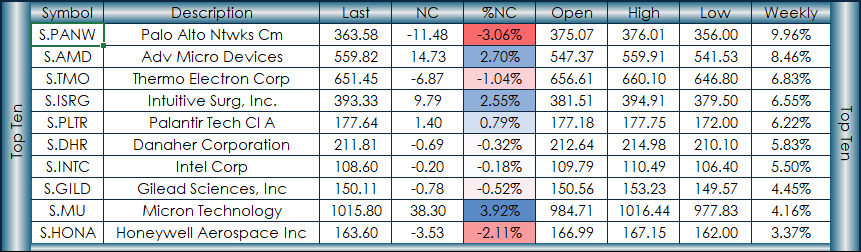
This post combines four Excel functions for managing market performance measurements. The market performance measurements are the top ten and bottom ten percentage net changes. The time periods… more
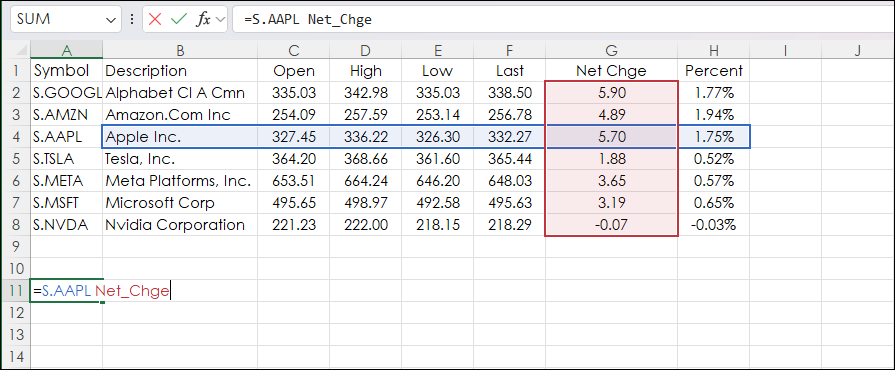
This table is from Microsoft's Excel Help file for Reference Operators. It lists three Reference Operators.
Reference operatorMeaningExample: (colon)Range operator, which produces one reference… more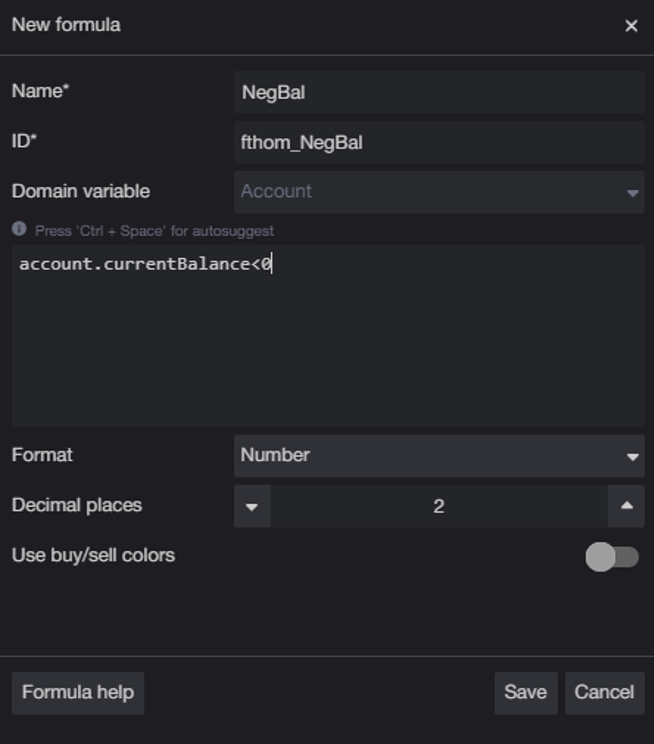
In CQG Desktop or CQG One, you can write custom formulas for monitoring risk and account status using the "account." prefix. These formulas can be used to create custom columns or filters in the… more
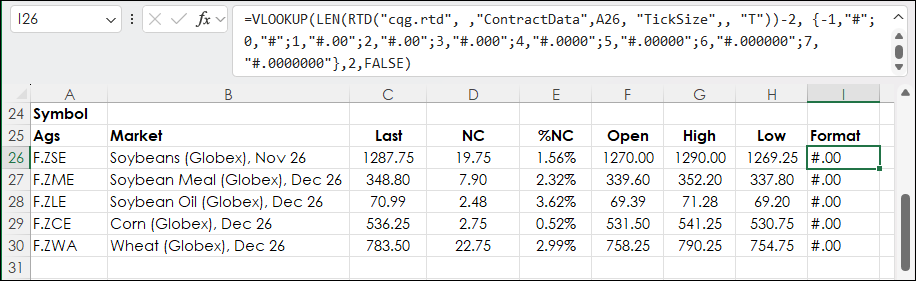
In legacy Excel if a function required the data to be returned to be an array then you had to press Ctrl + Shift + Enter following entering the function. You would see curly brackets surrounding… more