
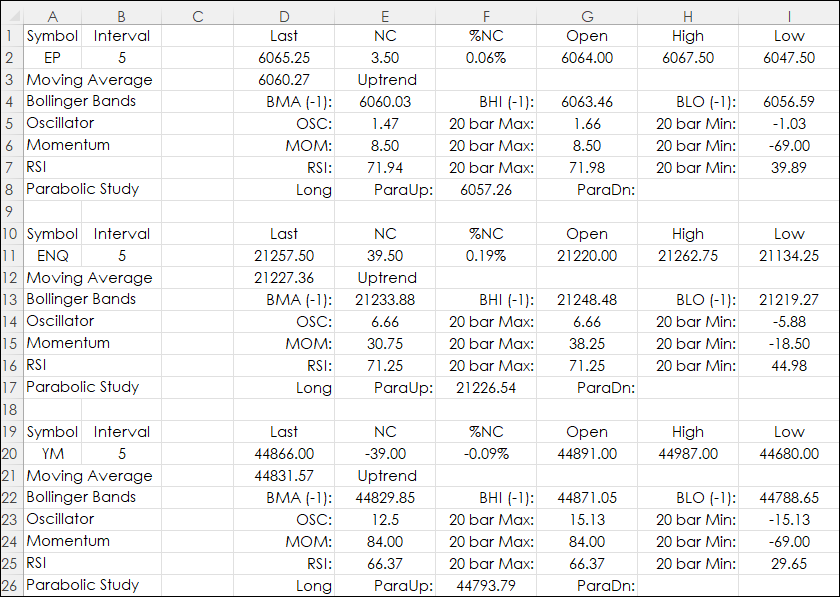
Excel users with RTD links to both market and study data can design a real-time dashboard that can monitor a portfolio of instruments and the status of various studies. This is the topic of this… more
How To
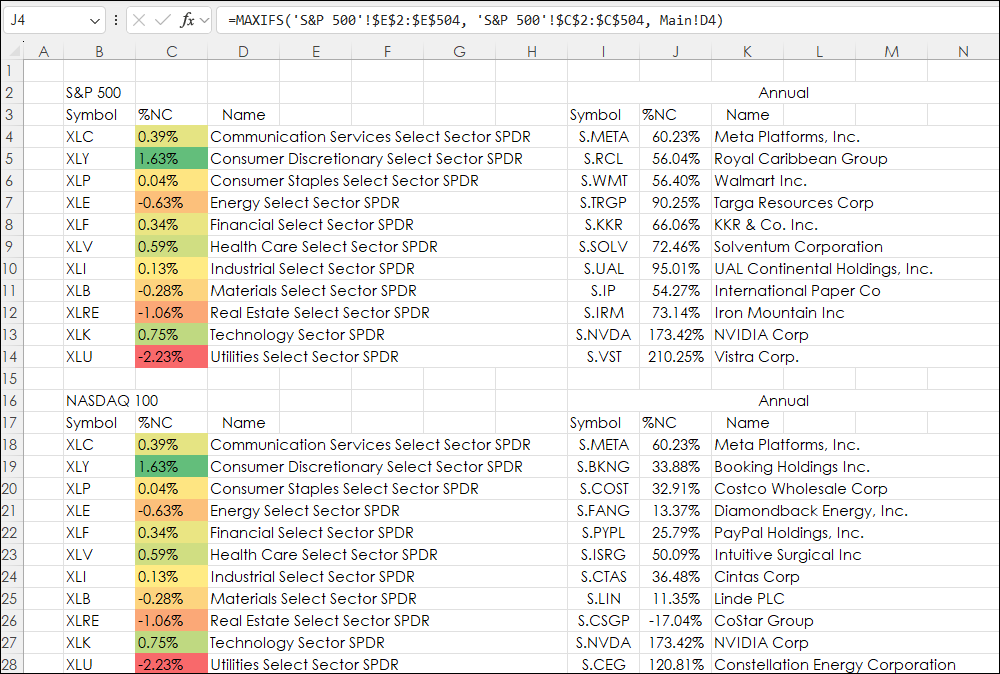
The Excel MAXIF function returns the maximum value from a range of cells and a criteria range. For example. The downloadable sample at the bottom of this post is determining the best performance… more
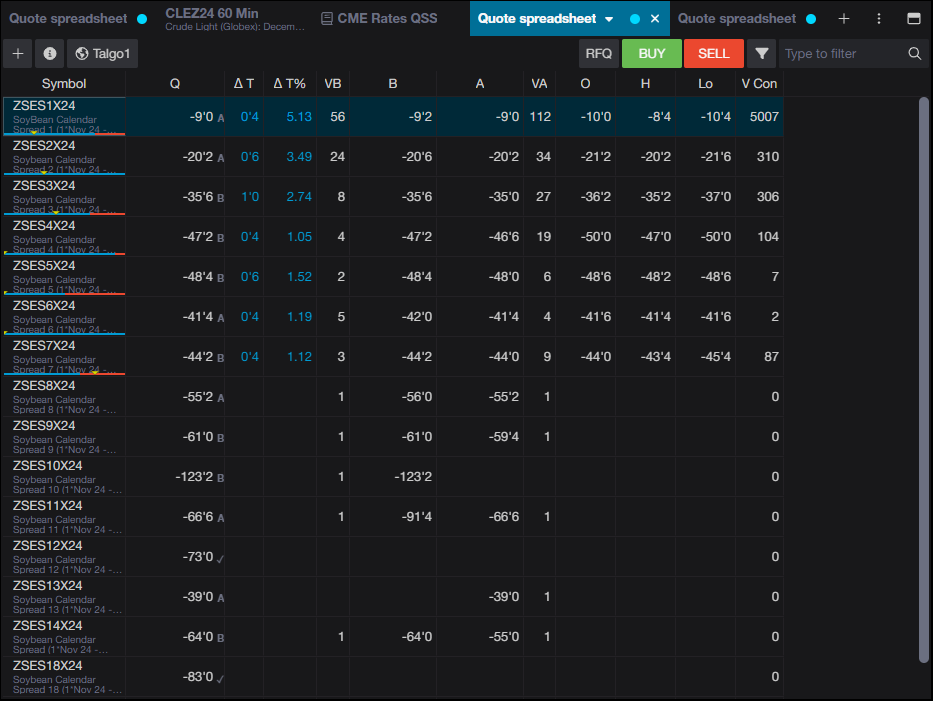
Entering a spread symbol in CQG One's Quote Spreadsheet offers the feature where the first symbol is entered, such as ZSES1 for the one month soybean calendar spreads and selecting the arrow a… more
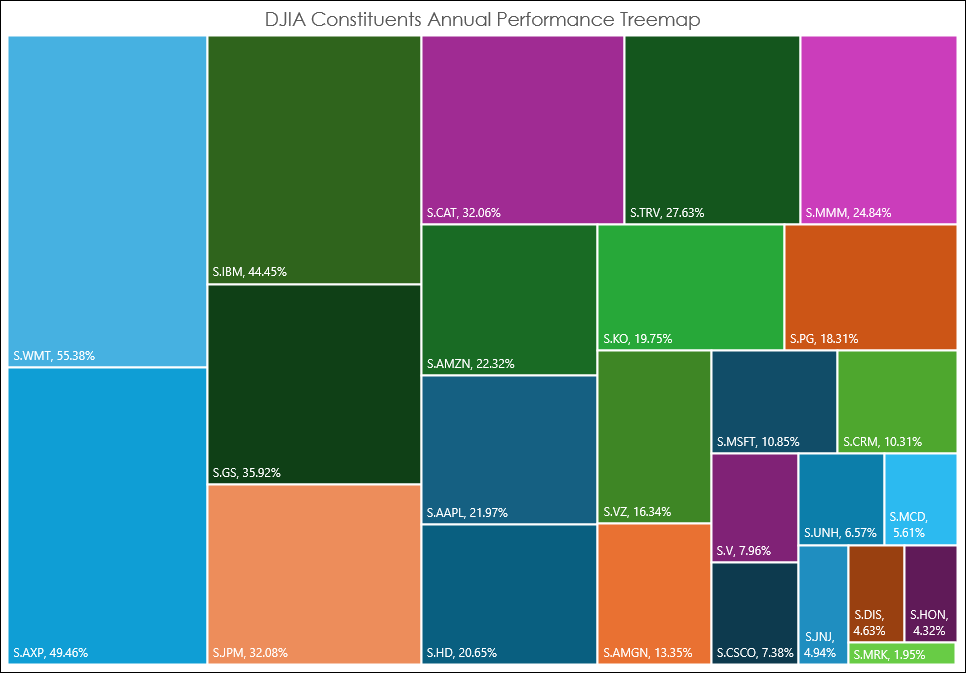
The Excel Treemap chart displays a hierarchical view of the data. The Treemap chart below displays the annualized performance of the 30 stocks in the Dow Jones Industrial Average. The size of the… more
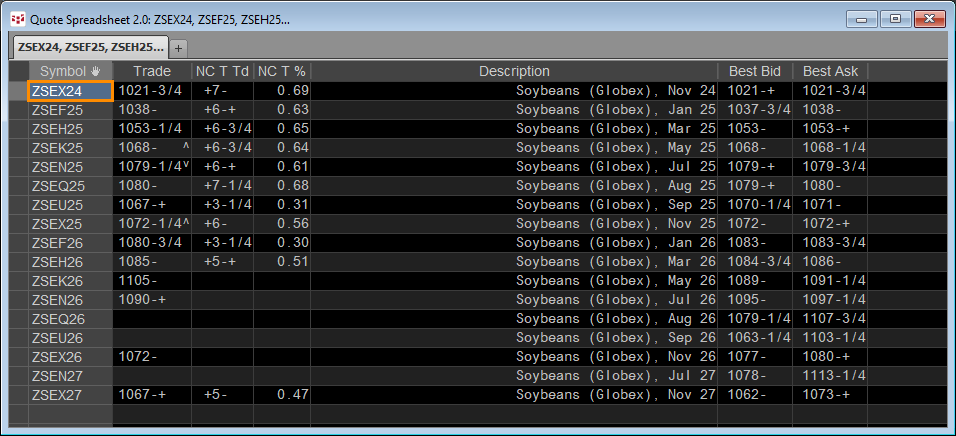
In the CQG Quote Spreadsheet the first symbol of a list of symbols can be entered and then hitting the key combination of CTRL+Enter will populate the spreadsheet with all of the available symbols… more
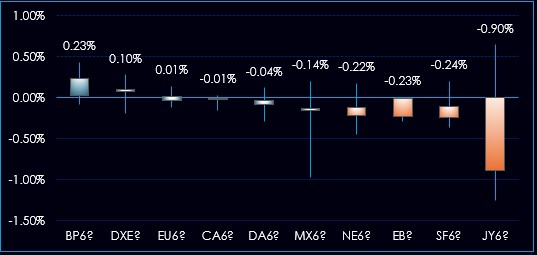
This Excel 365 Dashboard tracks the daily individual performance of multi-market groups: Equity Indexes, Fixed Income, Metals and Energy, and Forex.
The groups are dynamically ranked from… more
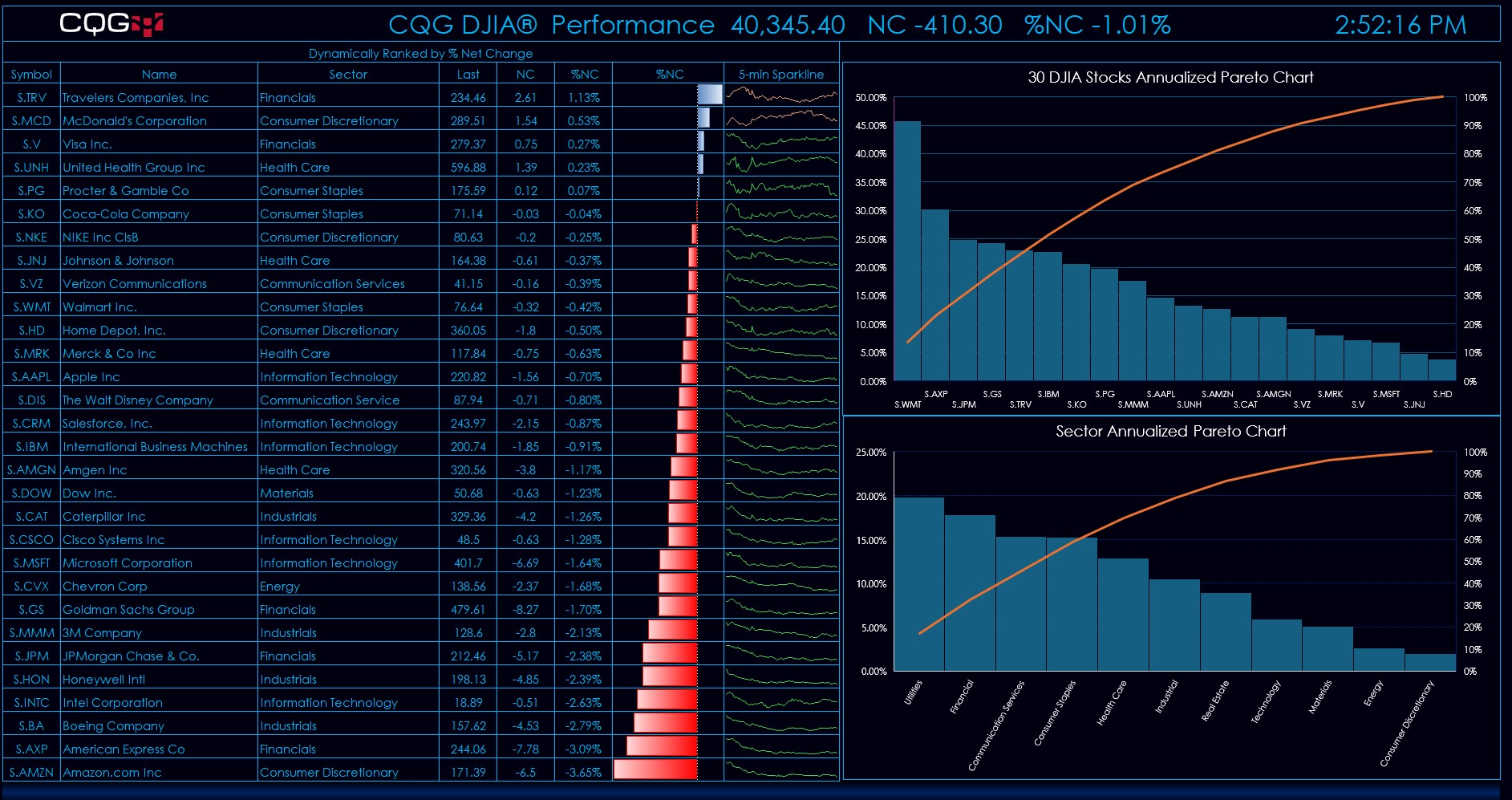
This Excel 365 Dashboard tracks the daily individual performance of the stocks making up the DJIA.
The main display details the symbol, name of the company, the sector the company is listed… more
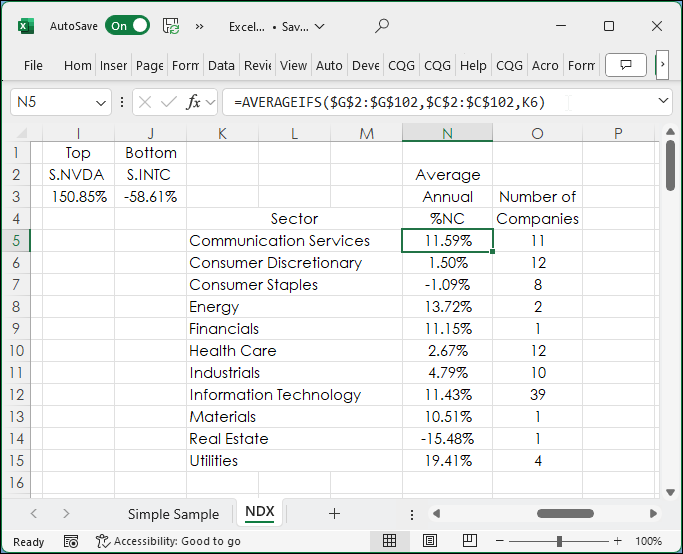
This posts details the use of two Excel functions: AVERAGEIFS and COUNTIFS. To start, a simple example of using the AVERAGEIFS function is presented.
In the image below column cells A2:A10… more
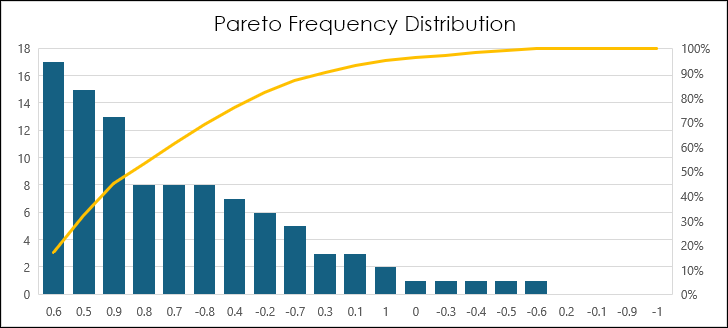
A Pareto chart is a histogram chart displaying columns sorted in a descending order and a line representing the cumulative total percentage. Pareto charts highlight the largest factors in a data… more
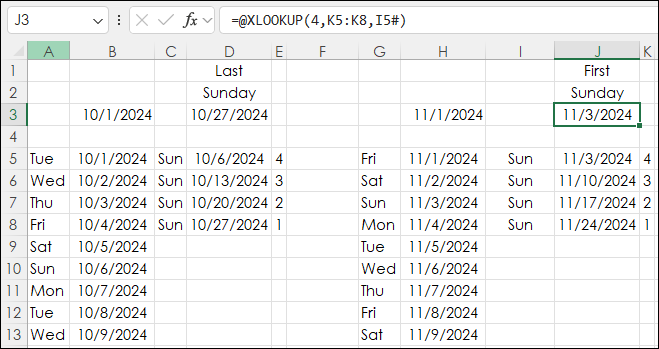
The post "Excel Combining SORTBY, CHOOSECOLS, and TAKE Functions" discusses Excel 365's Dynamic Arrays and the concept of returned data automatically "spilling" into a collection of cells.
… more