This macro-enabled Microsoft Excel® spreadsheet tracks the holdings of the SPDR® S&P® Biotech ETF (symbol: XBI).
Throughout the trading session, the individual stocks are dynamically… more

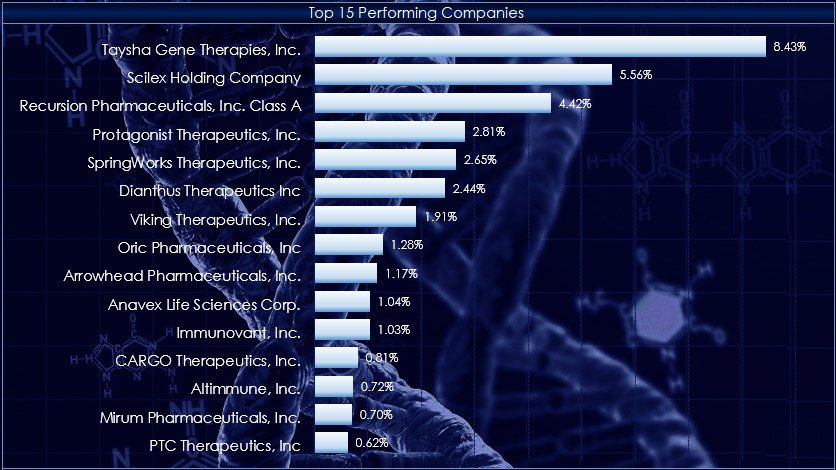
This macro-enabled Microsoft Excel® spreadsheet tracks the holdings of the SPDR® S&P® Biotech ETF (symbol: XBI).
Throughout the trading session, the individual stocks are dynamically… more

The PriceToDollar function converts the prices of the particular market to their value. For example, below the E-mini S&P 500 futures contract's last price is 6003.75. And 6003.75 multiplied… more

Two recent posts CQG Primer: The Level Function and Level Function Using Excel RTD Formulas detailed using the Level function available in CQG IC and QTrader. The Level function plots two lines,… more
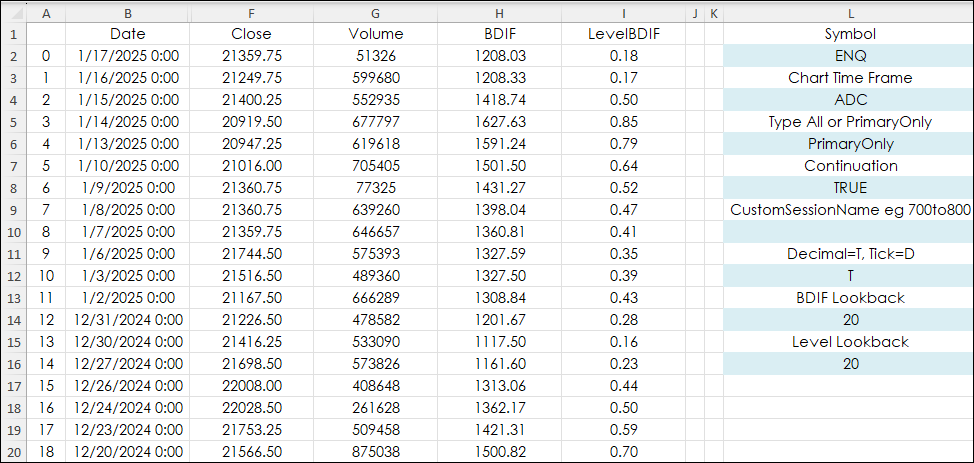
This post "CQG Primer: The Level Function" introduced the Level Function. The Level Function plots two lines, which identify the highest and lowest levels attained over a defined period. The… more
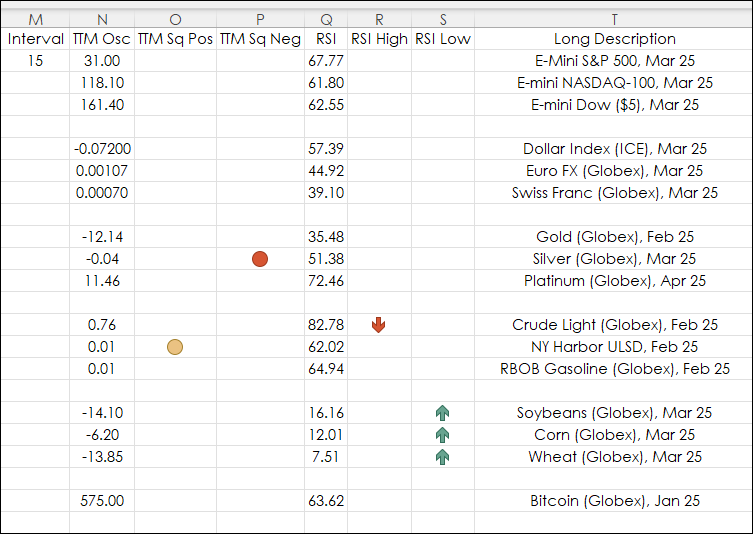
This recent post "Quote Spreadsheet 2.0 TTM Squeeze and More" provided a page installed via a CQG PAC that included a CQG QSS V2 for monitoring the markets. The benefit of the Quote Spreadsheet 2.… more
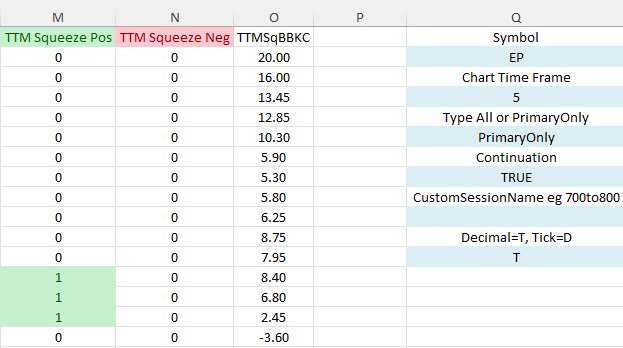
This post "TTM Squeeze Indicator" detailed the TTM indicator, which is a combination of measuring volatility and momentum. The volatility is a condition where the Bollinger Bands contract and move… more
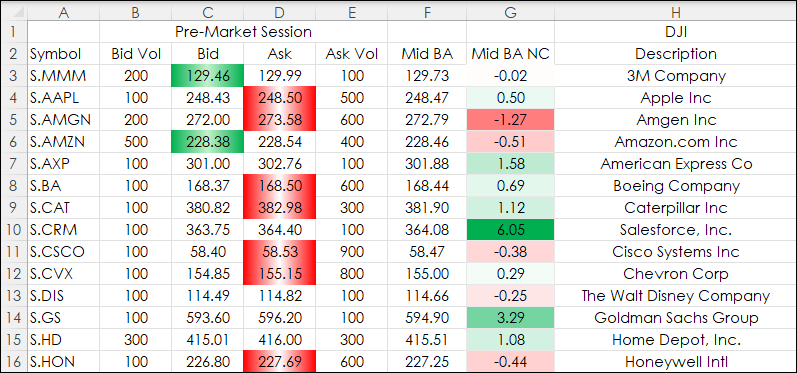
Recent posts detailed observing market data during pre-, current, and post-market sessions. The post View Pre and Post Sessions for Stocks detailed the steps to displaying a chart that included… more
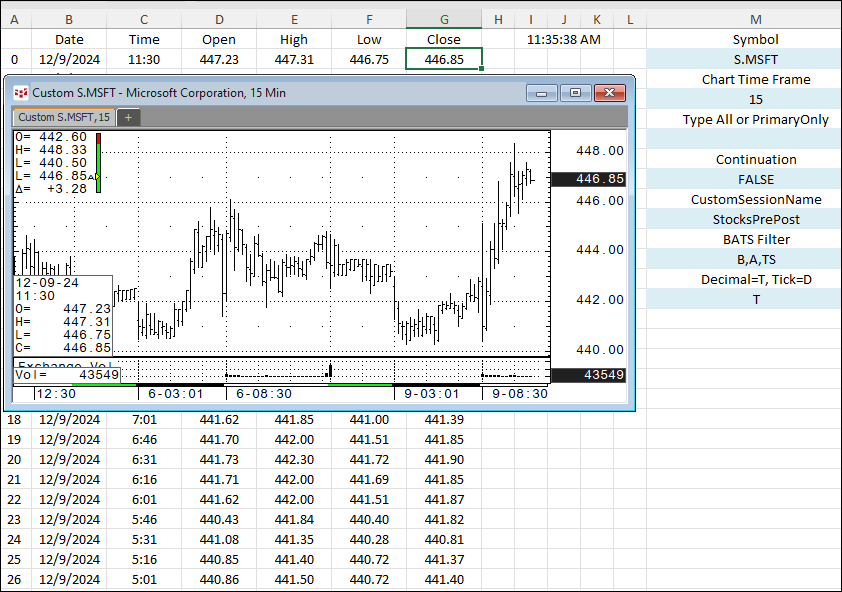
This post, View Pre and Post Sessions for Stocks, detailed creating a custom session in CQG IC or QTrader to view on a chart pre-market and post market Bid and Ask activity for stocks.
… more
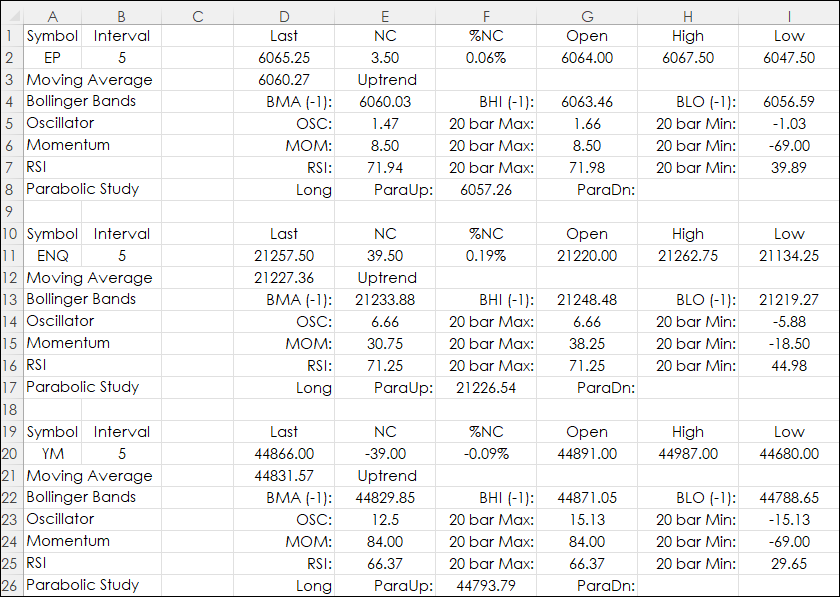
Excel users with RTD links to both market and study data can design a real-time dashboard that can monitor a portfolio of instruments and the status of various studies. This is the topic of this… more
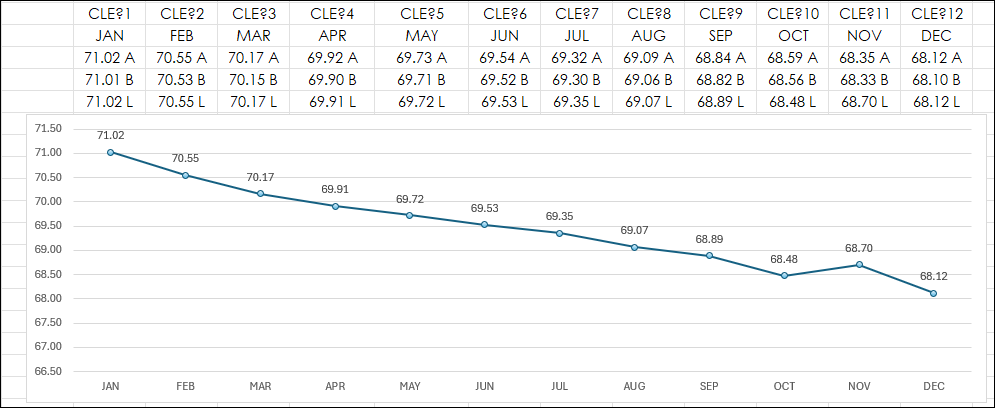
Traders who look to forward curves for analysis can create forward curves using Excel RTD calls. This post details some ways to create forward curves and some "tricks" to make the forward curves… more