
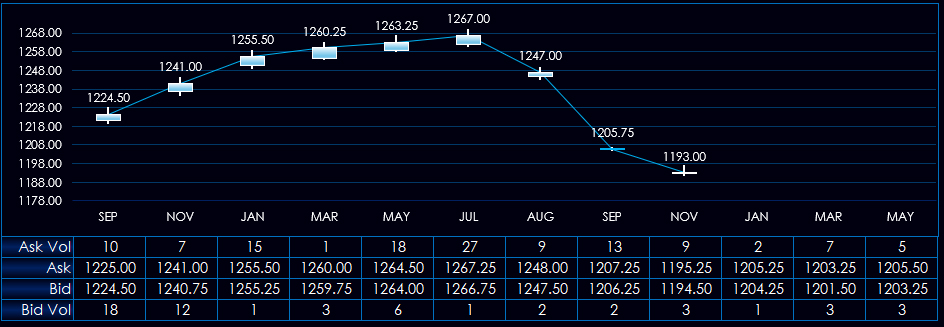
This post details a macro-enabled Excel Dashboard for monitoring Soybeans, Soybean Meal, and Soybean Oil contracts. The macro is a feature for managing the price axis on the charts. Excel may use… more
Workspaces
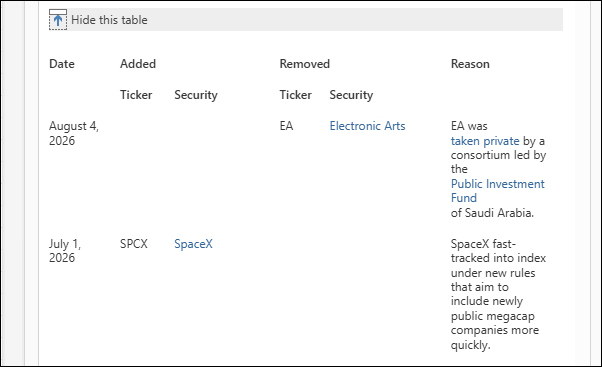
If Microsoft Excel is an app that you utilize for building market screening dashboards then you might periodically require updating the symbols used in the dashboards. For example, using an Excel… more
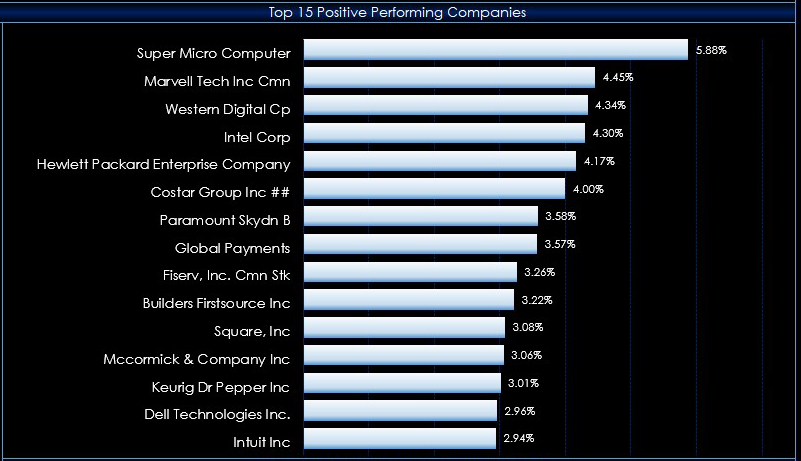
This year, 2026, has seen a rotation towards large cap value stock. This post details a downloadable Microsoft Excel dashboard that tracks the current sessions performance of the holdings of the… more
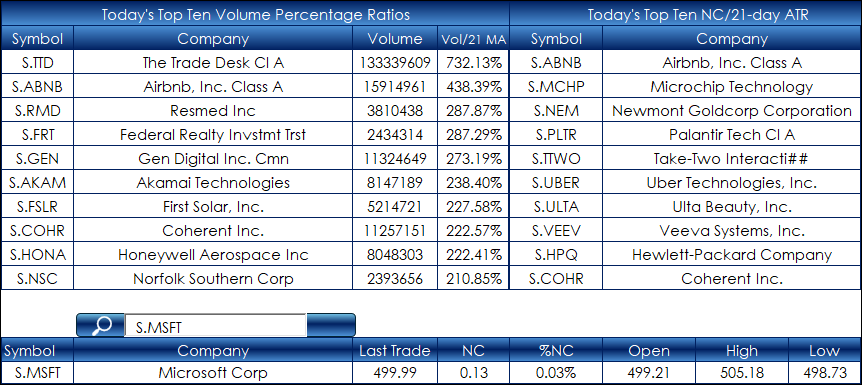
This post is an update to: Excel 365: S&P 500 Screening Dashboard.
The original post offered an Excel dashboard that screened the holdings of the S&P 500 for market performance… more
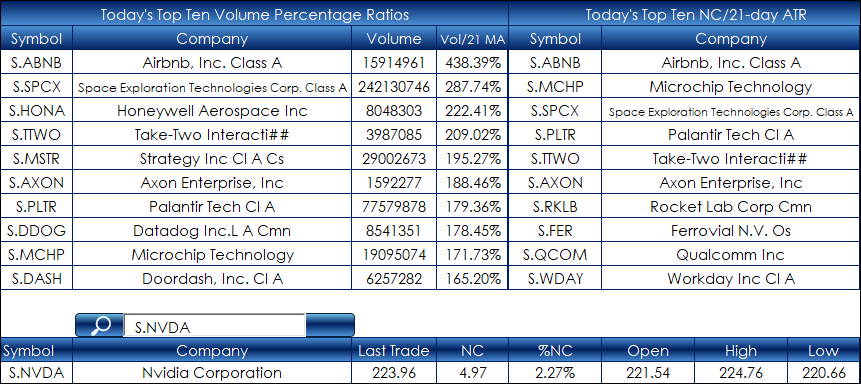
This post is an update to: Excel 365: NASDAQ 100 Screening Dashboard.
The original post offered an Excel dashboard that screened the holdings of the NASDAQ 100 for market performance… more
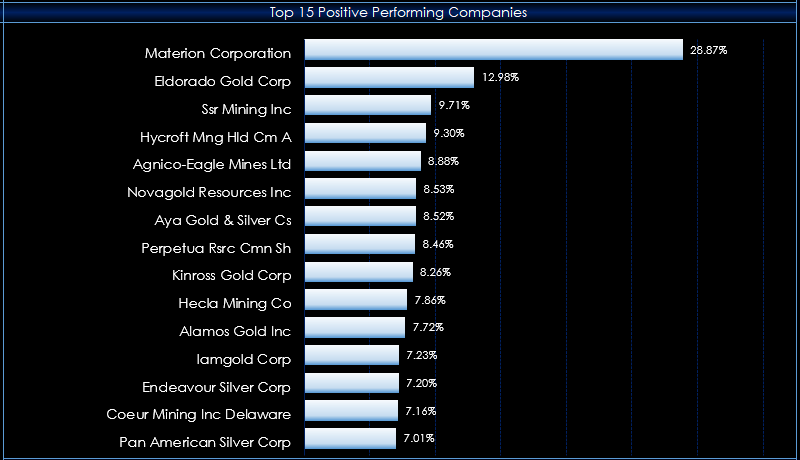
The S&P North American Natural Resources Sector Index is a financial benchmark that measures the performance of U.S. and Canadian publicly traded companies operating within the natural… more
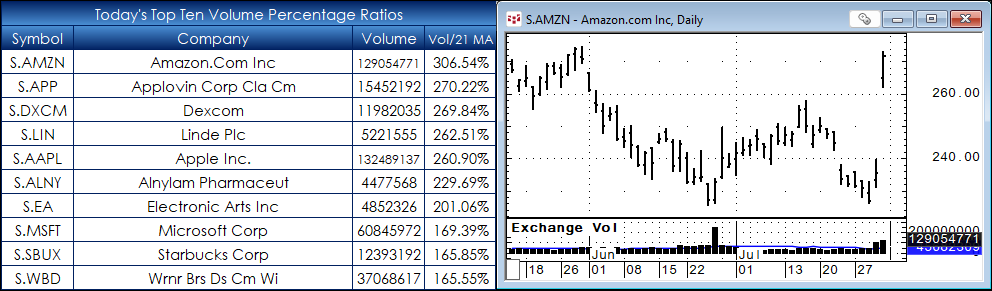
This post is another example of using Excel functions and RTD calls to screen a large portfolio. The sample dashboard tracks the holdings of the NASDAQ 100® Index (as of 8/02/2026). The screening… more
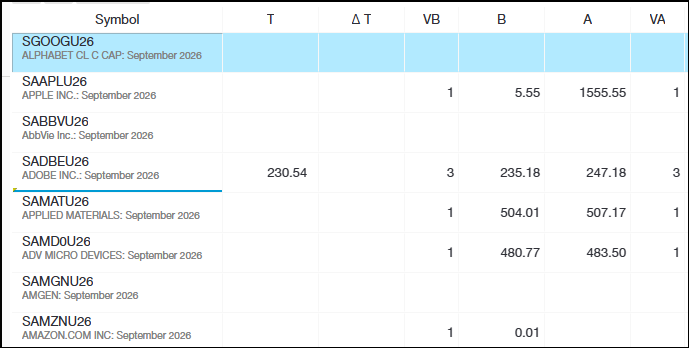
The CME is now offering Single Stock Futures trading. The benefits include:
Around-the-clock trading access. Futures trade nearly 24 hours a day (17:00 CST to 16:00 CST) allowing you to trade… more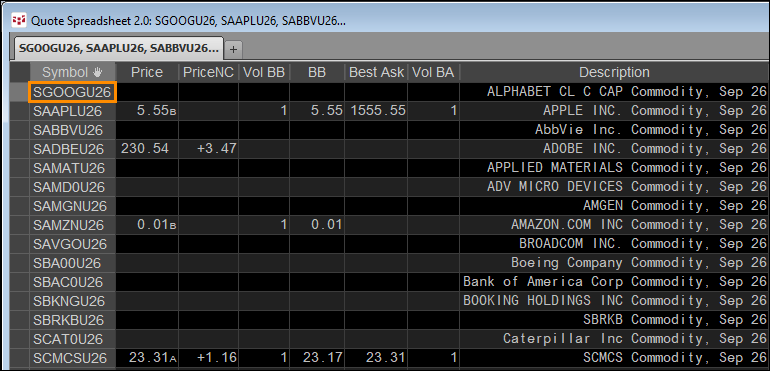
The CME is now offering Single Stock Futures trading. The benefits include:
Around-the-clock trading access. Futures trade nearly 24 hours a day (17:00 CST to 16:00 CST) allowing you to trade… more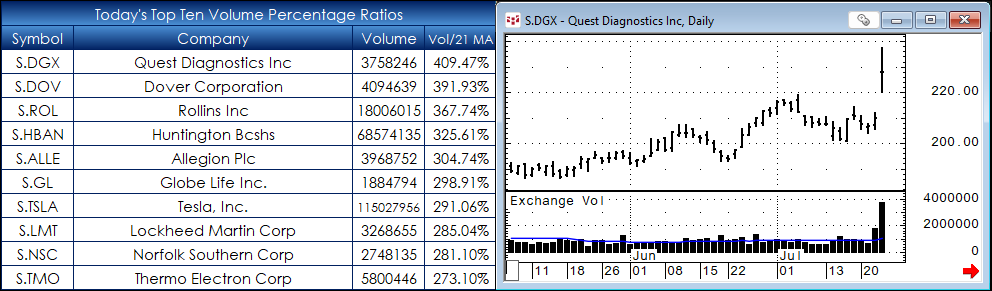
This post is another example of using Excel functions and RTD calls to screen a large portfolio. The sample dashboard is the holdings of the S&P 500® Index (as of 7/20/2026). The screening is… more